Close Menu
  • Home
  • Phone Fixes
    • Android Tips
    • iPhone Tips
  • Windows Tips
  • PC & Hardware
  • Apps & Software
  • AI Tools
Facebook X (Twitter)
TechWiseZone
  • Home
  • Phone Fixes
    • Android Tips
    • iPhone Tips
  • Windows Tips
  • PC & Hardware
  • Apps & Software
  • AI Tools
TechWiseZone
  • Home
  • Phone Fixes
  • Windows Tips
  • PC & Hardware
  • Apps & Software
  • AI Tools
Home » Windows 11
NVIDIA App graphics settings keep resetting on Windows 11 and how to fix them PC & Hardware

NVIDIA App Settings Keep Resetting: How to Fix it

Collins EzeNovember 4, 2026

You change a frame-rate limit, V-Sync, a DLSS override, or a game’s quality preset in NVIDIA App. Everything looks correct…
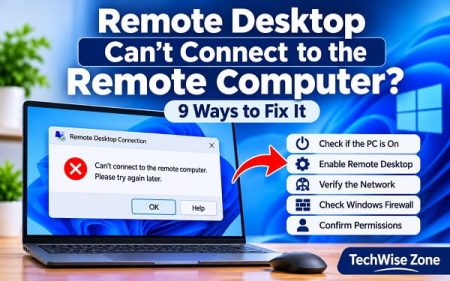
Remote Desktop Can't Connect to the Remote Computer? Windows Tips

Remote Desktop Can’t Connect to the Remote Computer, Fix it

Collins EzeNovember 3, 2026

You enter the computer name in Remote Desktop Connection, select Connect, and expect the other computer’s desktop to appear. Instead,…

How to Find Your Computer Name for Remote Desktop Connection Windows Tips

How to Find Your Computer Name for Remote Desktop Connection

Collins EzeNovember 2, 2026

When setting up a Remote Desktop connection, Windows asks for the name of the computer you want to access. If…

How to Fix REAgentC Windows RE Image Was Not Found? Windows Tips

How to Fix REAgentC Windows RE Image Was Not Found?

Collins EzeNovember 1, 2026

When you run reagentc /enable in Windows 11 and receive the message “The Windows RE image was not found,” Windows…

HP Scanner Not Working in Windows 11? How to Fix It PC & Hardware

HP Scanner Not Working in Windows 11? How to Fix It

Collins EzeOctober 21, 2026

HP scanner can stop working even when the same printer still prints normally. “Scanner not found,” an unavailable Scan button…

How to Create and Use a Restore Point in Windows 11 Windows Tips

How to Create and Use a Restore Point in Windows 11

Collins EzeOctober 20, 2026

To create a Windows 11 restore point, press Windows + R, enter systempropertiesprotection.exe, and press Enter. In System Protection, enable…

1 2 3 … 16 Next
Voice to text not working on Android with Gboard microphone troubleshooting

Voice to Text Not Working on Android? How to Fix It

September 21, 2026
Windows Resource Protection Error: How to Fix It

Windows Resource Protection Error: How to Fix It

July 17, 2026
How to Fix OneDrive Error 0x80070184

OneDrive Error 0x80070184: How to Fix It

September 4, 2026
Best AI Video Generators in 2026 (Free & Paid)

Best AI Video Generators in 2026 (Free & Paid)

June 15, 2026
Join Us On
  • Facebook
  • Twitter
  • Contact Us
  • Terms and Conditions
  • Disclaimer
  • Privacy Policy
  • About Us
  • Editorial Policy

© 2026 Techwisezoneblog.com. All Rights Reserved.

Type above and press Enter to search. Press Esc to cancel.