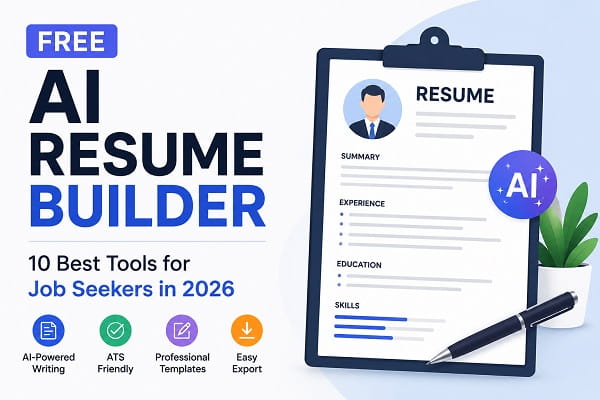
Creating a professional resume can be one of the most challenging parts of the job search process. Whether you’re a recent graduate, a student seeking an internship, or an experienced professional looking for a career change, your resume often determines whether you get invited for an interview.
The problem is that many job seekers struggle with formatting, writing compelling descriptions, and optimizing resumes for Applicant Tracking Systems (ATS).
Fortunately, artificial intelligence is making resume creation easier than ever.
Modern AI resume builders can generate professional resumes, suggest improvements, optimize content for recruiters, and help users create ATS-friendly resumes in minutes.
Even better, many of these tools offer free plans that allow job seekers to create impressive resumes without spending money.
In this guide, we’ll explore the best free AI resume builders available in 2026 and help you choose the right one for your career goals.
What Is an AI Resume Builder?
An AI resume builder is a tool that uses artificial intelligence to help users create, improve, and optimize resumes.
Instead of manually writing every section from scratch, AI tools can:
- Generate resume content
- Suggest professional wording
- Improve grammar
- Optimize keywords
- Create ATS-friendly formats
- Recommend skills and achievements
These features help job seekers create stronger resumes faster.
Why Use an AI Resume Builder?
Students and recent graduates often struggle with creating their first professional resume. If you’re still in school or preparing for internships, our guide on the best AI tools for students without sign up highlights several useful tools that can help with writing, studying, and career preparation.
AI resume tools offer several advantages.
Save Time
Creating a professional resume manually can take hours.
AI tools can generate polished content in minutes.
Improve Resume Quality
AI suggests stronger wording and more professional language.
ATS Optimization
Many employers use Applicant Tracking Systems to screen resumes.
AI tools can help optimize resumes for ATS compatibility.
Better Organization
Templates and formatting tools improve readability and presentation.
Increased Confidence
Job seekers often feel more confident submitting resumes that have been professionally optimized.
1. Kickresume
Kickresume is one of the most popular AI-powered resume builders available today.
It combines AI writing assistance with professional templates.
Key Features
- AI-generated resume content
- Professional templates
- Cover letter builder
- ATS-friendly designs
- Resume scoring
Best For
Students, graduates, and professionals.
Free Plan
Yes.
2. Rezi
Rezi focuses heavily on ATS optimization.
The platform helps users create resumes that perform well in applicant tracking systems.
Key Features
- ATS optimization
- AI writing suggestions
- Resume analysis
- Keyword recommendations
Best For
Job seekers applying online.
Free Plan
Available.
3. Resume.io
Resume.io provides an easy-to-use platform for building professional resumes quickly.
Key Features
- AI content suggestions
- Professional templates
- Cover letter support
- Export options
Best For
General job seekers.
Free Plan
Available with limitations.
4. Enhancv
Enhancv combines AI assistance with modern resume design.
Key Features
- AI writing recommendations
- Modern templates
- Career-focused customization
- Resume analysis
Best For
Creative professionals and job seekers.
Free Plan
Available.
5. Teal Resume Builder
Teal has become increasingly popular among job seekers because of its AI-powered career tools.
Key Features
- Resume optimization
- Job tracking
- Keyword suggestions
- Career management tools
Best For
Active job seekers managing multiple applications.
Free Plan
Yes.
A strong resume starts with organized information about your education, skills, achievements, and work experience. To keep your notes and career-related information organized, explore our list of the best AI note-taking apps for students and professionals.
6. Zety
Zety offers professional resume-building tools with AI-powered suggestions.
Key Features
- Resume templates
- AI content recommendations
- Cover letter builder
- ATS-friendly formats
Best For
Professionals across industries.
Free Plan
Limited access available.
7. Novoresume
Novoresume is known for creating visually appealing and recruiter-friendly resumes.
Key Features
- Professional templates
- AI-assisted writing
- Resume scoring
- Career guidance
Best For
Students and professionals.
Free Plan
Available.
8. Canva Resume Builder
Canva’s AI tools make resume creation simple and visually attractive.
Key Features
- Resume templates
- Drag-and-drop editor
- AI design assistance
- Easy customization
Best For
Creative industries and personal branding.
Free Plan
Yes.
Visual presentation can make a difference when creating portfolios, presentations, and supporting career materials. If you need help creating professional slides for interviews or academic projects, check out our guide on free AI presentation maker tools.
9. Resume Worded
Resume Worded specializes in resume feedback and optimization.
Key Features
- Resume scoring
- Keyword analysis
- LinkedIn profile optimization
- Career advice
Best For
Professionals looking to improve existing resumes.
Free Plan
Available.
10. Huntr Resume Builder
Huntr combines resume creation with job application management.
Key Features
- AI-powered resume builder
- Job tracking
- Resume customization
- ATS-friendly formatting
Best For
Job seekers managing multiple applications.
Free Plan
Yes.
How to Choose the Best AI Resume Builder
Not every AI resume builder serves the same purpose.
Consider these factors before choosing one.
ATS Compatibility
Ensure the platform creates resumes that can pass ATS screening.
Template Quality
Professional templates improve first impressions.
AI Writing Features
Look for tools that provide content suggestions and optimization.
Export Options
PDF and Word export capabilities are important.
Pricing
Compare free plans and premium features.
Which AI Resume Builder Is Best for Students?
Students and recent graduates often need guidance with resume writing.
Top choices include:
Kickresume
Excellent for beginners.
Novoresume
Professional and student-friendly templates.
Canva
Easy customization and modern designs.
Teal
Useful career management features.
Common Resume Mistakes AI Can Help Fix
Many job seekers make avoidable resume mistakes.
These include:
Weak Descriptions
AI can suggest stronger action verbs and achievements.
Poor Formatting
Resume builders improve structure automatically.
Missing Keywords
AI identifies important skills and industry-specific terms.
Grammar Errors
AI tools help eliminate spelling and grammar mistakes.
AI Resume Builders vs Traditional Resume Templates
Traditional templates require users to:
- Write everything manually
- Research resume best practices
- Optimize formatting themselves
AI resume builders simplify the process by providing guidance and automation.
Benefits include:
- Faster resume creation
- Better wording
- Improved ATS compatibility
- Higher-quality results
Frequently Asked Questions
Are AI resume builders free?
Many AI resume builders offer free plans with basic features. Premium plans often include advanced templates and optimization tools.
Can AI write an entire resume?
Yes. Most modern AI resume builders can generate resume content based on your experience and career goals.
Do AI-generated resumes pass ATS systems?
Many AI resume builders specifically optimize resumes for ATS compatibility.
Which AI resume builder is best for beginners?
Kickresume, Canva, and Novoresume are excellent choices for beginners.
AI-powered career tools are just one part of a rapidly expanding ecosystem of productivity software. If you’re interested in discovering more innovative platforms beyond ChatGPT, explore our roundup of AI tools other than ChatGPT and see how artificial intelligence is transforming different industries.
In Conclusion, a strong resume can significantly improve your chances of landing interviews and advancing your career.
AI resume builders make the process easier by helping users write better content, improve formatting, and optimize resumes for modern hiring systems.
For most job seekers, Kickresume, Rezi, Teal, and Novoresume provide an excellent balance of usability, professional features, and free functionality.
Whether you’re applying for your first job, changing careers, or pursuing new opportunities, these AI-powered tools can help you create a resume that stands out in a competitive job market.
