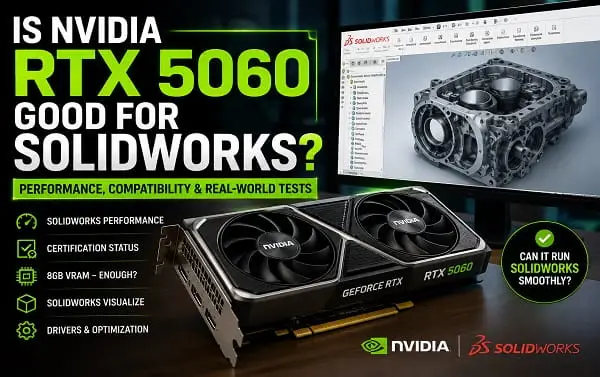
The NVIDIA GeForce RTX 5060 can run SOLIDWORKS, but whether it is the right graphics card depends heavily on the type of work you do.
For students, hobbyists, beginners, and users working with small to moderately complex parts and assemblies, the RTX 5060 can provide a capable and responsive SOLIDWORKS experience. It has modern NVIDIA Blackwell architecture, 3,840 CUDA cores, fifth-generation Tensor Cores, fourth-generation RT Cores, and 8GB of GDDR7 memory.
The important limitation is certification.
The GeForce RTX 5060 is a consumer gaming and creator graphics card, not a professional workstation GPU. SOLIDWORKS recommends certified graphics cards and drivers for optimal performance and stability. After checking the current SOLIDWORKS Hardware Certification database, I did not find the GeForce RTX 5060 listed as a certified configuration for SOLIDWORKS. The certification database should always be checked again before buying because its results can change as new hardware and drivers are added.
That does not mean the RTX 5060 will not work with SOLIDWORKS. It means there is an important difference between a graphics card being powerful enough to run the software and being officially tested and certified for a particular professional workflow.
Quick Answer: Should You Use an RTX 5060 for SOLIDWORKS?
The RTX 5060 is a reasonable choice if you:
- Are a SOLIDWORKS student or learner
- Work with parts and small to medium assemblies
- Use your PC for both CAD work and gaming
- Need CUDA support for other applications
- Want a relatively affordable modern NVIDIA GPU
- Do not depend on a fully certified workstation configuration
The RTX 5060 is less suitable if you:
- Use SOLIDWORKS professionally for critical engineering work
- Work with very large and complex assemblies every day
- Need a certified hardware and driver combination
- Rely heavily on validated RealView or enterprise graphics workflows
- Need maximum reliability and support from a professional workstation environment
For those users, an NVIDIA RTX professional GPU or another graphics card listed in the SOLIDWORKS Hardware Certification database is the safer choice.
What the NVIDIA RTX 5060 Actually Offers
Before deciding whether the card is suitable for CAD, it helps to understand what the desktop RTX 5060 is.
According to NVIDIA’s official specifications, the GeForce RTX 5060 uses the Blackwell architecture and includes 3,840 CUDA cores, fifth-generation Tensor Cores, fourth-generation ray-tracing cores, a 2.50 GHz boost clock, and 8GB of GDDR7 memory on a 128-bit interface.
The card also supports NVIDIA Studio Drivers, CUDA, modern hardware video encoding, AI acceleration, and NVIDIA’s current creator software ecosystem.
You can see the full specifications on the official NVIDIA GeForce RTX 5060 Family page.
Those specifications make the RTX 5060 a capable general-purpose graphics card. However, raw specifications are not the only thing that determines how well a GPU works in SOLIDWORKS.
CAD software can place greater importance on driver behaviour, OpenGL compatibility, application certification, viewport stability, and workstation validation than a normal gaming benchmark does.
A graphics card that produces excellent frame rates in games can still be less predictable than a certified workstation GPU in a professional CAD application.
Can the RTX 5060 Run SOLIDWORKS?
Yes, it can run SOLIDWORKS.
For normal modelling work, the RTX 5060 has more than enough graphics capability for many users. Creating parts, editing sketches, rotating models, working with assemblies, and using the normal SOLIDWORKS interface should not be difficult for a modern GPU of this class.
However, your experience will also depend on:
- The SOLIDWORKS version
- CPU performance
- System RAM
- Assembly size
- Number of components
- Display resolution
- Driver version
- Other software running in the background
This last point is often overlooked.
SOLIDWORKS is not a GPU-only application. A faster graphics card does not automatically solve every performance problem. The CPU, memory capacity, storage speed, and complexity of the model can have a major effect on performance.
For example, if you are opening a large assembly and the CPU is struggling with calculations, rebuilding features, mates, or other operations, replacing the GPU may not produce the improvement you expect.
Is the RTX 5060 Officially Certified for SOLIDWORKS?
As of the current check for this article, I did not find the GeForce RTX 5060 in the SOLIDWORKS Hardware Certification database.
SOLIDWORKS states that its system requirements recommend certified graphics cards and drivers. Its certification database is specifically intended to help users find qualified workstation and graphics-card configurations, and the listed configurations have been certified with SOLIDWORKS.
You can verify the latest status through the official SOLIDWORKS Hardware Certification database.
This is the most important distinction in the entire RTX 5060 and SOLIDWORKS discussion:
The RTX 5060 can run SOLIDWORKS, but running SOLIDWORKS is not the same as being officially certified for SOLIDWORKS.
If certification is essential for your job, do not rely on an article, forum post, or general recommendation. Search the certification database for your exact computer or workstation, graphics card, SOLIDWORKS version, and recommended driver.
Why Does SOLIDWORKS Certification Matter?
SOLIDWORKS certification is about more than whether the application opens.
A certified hardware configuration has been tested with specific software and driver combinations. This is particularly important in professional environments where a graphics problem can interrupt design work or cause visual errors.
Certification can help reduce the risk of issues involving:
- Viewport instability
- Display glitches
- Graphics crashes
- Driver conflicts
- OpenGL-related problems
- Unsupported visual features
- Unpredictable behaviour after driver updates
SOLIDWORKS support documentation also identifies unsupported graphics cards and drivers as a possible cause of crashes when creating or opening parts, assemblies, and drawings. It recommends checking certified graphics hardware and drivers when graphics-related problems occur.
For a student working on coursework, accepting some of that risk may be perfectly reasonable.
For an engineer whose workstation is used for critical commercial projects, the calculation is different.
GeForce RTX 5060 vs NVIDIA RTX Professional GPUs for SOLIDWORKS
The RTX 5060 belongs to NVIDIA’s GeForce family.
NVIDIA RTX professional graphics cards are designed for workstation and professional software environments.
The difference is not simply that professional cards have a different name.
Professional workstation GPUs are more likely to be used in certified systems with validated drivers for CAD, engineering, design, and visualization applications. They are designed around reliability and professional workflows rather than gaming value.
A GeForce RTX 5060 may have excellent hardware performance for its price, but that does not make it a direct replacement for a certified professional GPU.
For SOLIDWORKS, a professional GPU can make more sense when you need:
- Certified hardware and drivers
- Professional technical support
- A validated workstation environment
- Stable operation with large or demanding projects
- Enterprise deployment
- Consistent compatibility across multiple workstations
The RTX 5060 can make more sense when you want one PC for:
- SOLIDWORKS learning
- University projects
- Moderate CAD work
- Gaming
- Streaming
- General content creation
- Other CUDA-accelerated software
Is 8GB of VRAM Enough for SOLIDWORKS?
For many normal SOLIDWORKS users, 8GB of VRAM can be enough.
The RTX 5060 desktop GPU has 8GB of GDDR7 memory. That is sufficient for many standard CAD workflows, particularly when working with a single 1080p or 1440p display.
The amount of VRAM you need can increase when you work with:
- Large assemblies
- Very high-resolution displays
- Multiple 4K monitors
- Complex textures and visualizations
- GPU rendering
- Large scenes in SOLIDWORKS Visualize
- Other GPU-intensive software running at the same time
More VRAM is not automatically necessary for ordinary part modelling. It becomes more important as the graphics workload becomes heavier.
If your primary use is SOLIDWORKS Visualize or another GPU rendering application, the 8GB memory limit deserves more attention than it would for ordinary CAD modelling.
How Well Is the RTX 5060 Likely to Handle Small and Medium Assemblies?
For small and medium assemblies, the RTX 5060 should be more than capable from a raw graphics-performance perspective.
The more important question is whether the rest of the system can keep up.
A good SOLIDWORKS system built around an RTX 5060 should also have:
- A modern high-performance CPU
- At least 16GB of RAM
- 32GB of RAM for more demanding work
- A fast SSD
- A current and stable NVIDIA driver
SOLIDWORKS currently lists 16GB of RAM as a hardware requirement and recommends 32GB, while SSD storage is recommended for optimal performance.
If you pair the RTX 5060 with an older processor, limited RAM, or a slow hard drive, the graphics card alone will not transform the system into a high-end CAD workstation.
What About Large and Complex SOLIDWORKS Assemblies?
This is where I would be more cautious.
A large assembly can stress more than the GPU. CPU calculations, system memory, storage access, and graphics memory can all become bottlenecks.
The RTX 5060 can still work, but it may not be the ideal choice for a professional who regularly works with very large assemblies and needs a fully validated environment.
For heavy professional workloads, consider:
- A certified workstation GPU
- More VRAM
- A workstation-class computer
- 32GB or more system RAM
- A CPU suited to your particular SOLIDWORKS workload
Do not choose a GPU based only on gaming benchmarks if your main goal is professional CAD.
Is the RTX 5060 Good for SOLIDWORKS Students?
Yes. For many students, the RTX 5060 is a practical choice.
Students often need one computer that can handle several tasks, including:
- SOLIDWORKS
- Programming
- MATLAB or other technical software
- Gaming
- Video editing
- AI tools
- General university work
A GeForce GPU can make sense because it offers flexibility beyond CAD.
The lack of professional certification is still worth understanding, but many students do not need an expensive certified workstation GPU simply to complete coursework and learn SOLIDWORKS.
I would recommend the RTX 5060 to a student only after checking the complete laptop or desktop configuration.
A powerful GPU cannot compensate for a laptop with poor cooling, too little RAM, or a weak CPU.
RTX 5060 Desktop vs RTX 5060 Laptop GPU for SOLIDWORKS
Do not assume an RTX 5060 laptop GPU performs exactly like a desktop RTX 5060.
Laptop GPUs can have different power limits, cooling systems, clock behaviour, and overall performance depending on the laptop manufacturer.
Two laptops with the same RTX 5060 name can also perform differently.
Before buying an RTX 5060 laptop for SOLIDWORKS, check:
- The laptop CPU
- RAM capacity and whether it can be upgraded
- GPU power limit
- Cooling design
- Screen resolution
- SSD capacity
- Battery and thermal performance
- Whether the laptop has been tested with your required software
For a laptop, the complete machine matters more than the GPU name.
Should You Use Game Ready Drivers or Studio Drivers?
If your RTX 5060 system is mainly used for SOLIDWORKS and creative applications, NVIDIA Studio Drivers may be worth considering.
NVIDIA provides both Game Ready and Studio driver options for supported GeForce hardware.
Game Ready Drivers are primarily focused on new game support and gaming optimizations.
Studio Drivers are aimed at creative applications and creator workflows.
That does not make Studio Drivers the same as a SOLIDWORKS-certified professional driver. If you require official SOLIDWORKS certification, you should follow the driver listed for the certified configuration in the SOLIDWORKS database.
For a non-certified GeForce RTX 5060 system, the best approach is to install a stable driver, test your workflow, and avoid updating to a new driver immediately in the middle of an important project unless you need a specific fix.
If you need help with NVIDIA software on Windows, my guide on how to install NVIDIA Control Panel on Windows 11 or 10 can help with the basic setup.
You can also read my guide on how to stop the NVIDIA App from running in the background if you are trying to reduce unnecessary background activity on a system where the NVIDIA App is using resources.
Does the RTX 5060 Support SOLIDWORKS RealView?
This is an area where users should not make assumptions.
RealView Graphics is associated with supported professional graphics configurations, and SOLIDWORKS has historically used certification and supported graphics drivers to control access to certain professional graphics features.
A powerful GeForce card does not automatically guarantee the same supported RealView experience as a certified workstation GPU.
Do not use unofficial registry modifications or hacks as the basis for a professional workstation setup. They may enable features temporarily but do not turn an unsupported configuration into a certified one.
If RealView is important to your workflow, check your exact hardware configuration in the SOLIDWORKS certification database before purchasing.
Is the RTX 5060 Good for SOLIDWORKS Visualize?
The answer is more favourable for some Visualize workloads.
SOLIDWORKS Visualize has its own GPU requirements and rendering modes. Current SOLIDWORKS 2026 documentation states that GPU support for Stellar Accurate Render Mode requires an NVIDIA graphics card based on at least the Maxwell microarchitecture, while Stellar Fast Render Mode supports NVIDIA GPUs based on at least the Turing architecture with RT Cores.
The RTX 5060 uses a much newer Blackwell architecture, so it meets those architecture-level requirements for the relevant NVIDIA rendering modes.
The 8GB VRAM configuration is still a factor.
For smaller and moderate visualization projects, 8GB can be workable. For large scenes, high-resolution textures, and demanding renders, more VRAM can provide useful headroom.
SOLIDWORKS also notes that when an applicable GPU is not found, Visualize can fall back to CPU processing, which can dramatically change rendering performance.
If Visualize rendering is your primary workload, compare GPU memory capacity and rendering performance rather than choosing the RTX 5060 solely because it is a new GPU.
Can You Use the RTX 5060 for SOLIDWORKS and Gaming?
Yes. This is one of the strongest arguments for buying it.
A professional workstation GPU is often chosen specifically for CAD and engineering work. A GeForce RTX 5060 is a more versatile consumer GPU for someone who wants to combine professional or educational software with entertainment.
The RTX 5060 can handle:
- SOLIDWORKS modelling
- General 3D work
- CUDA-accelerated applications
- Video encoding
- Gaming
- AI-assisted applications
- Streaming
If you are deciding between AMD and NVIDIA for a mixed-use computer, read my comparison of AMD GPU vs NVIDIA. The right choice depends on whether your priority is gaming value, ray tracing, CUDA, AI, content creation, or professional software compatibility.
For SOLIDWORKS specifically, NVIDIA’s CUDA ecosystem can also be useful outside the core CAD application, particularly when your wider workflow includes rendering or other GPU-accelerated tools.
Common Problems You May Encounter With an RTX 5060 in SOLIDWORKS
The RTX 5060 may be powerful, but an unsupported or poorly configured graphics setup can still cause problems.
Possible symptoms include:
- SOLIDWORKS crashing when opening files
- Display artifacts
- Black viewports
- Slow model rotation
- Visual glitches
- Features not being available
- Performance changes after a driver update
If SOLIDWORKS begins crashing or behaving incorrectly, do not immediately assume the GPU is defective.
Try these checks:
- Restart the PC.
- Confirm that Windows detects the RTX 5060 correctly.
- Check the NVIDIA driver version.
- Install a stable NVIDIA driver.
- Test SOLIDWORKS without unnecessary overlays or GPU utilities.
- Use SOLIDWORKS Rx to help diagnose graphics-related problems.
- Check whether the same problem occurs in Software OpenGL mode when available.
- Review the SOLIDWORKS Hardware Certification database.
- Test another driver version if the issue started immediately after an update.
If Software OpenGL resolves a crash or display problem, that can indicate a graphics card or driver issue rather than a problem with the model itself.
For broader NVIDIA and Windows graphics troubleshooting, keeping the driver and GPU software properly configured is often more useful than repeatedly reinstalling SOLIDWORKS without identifying the actual cause.
RTX 5060 vs RTX 5060 Ti for SOLIDWORKS
If your budget allows it, the RTX 5060 Ti deserves consideration.
The RTX 5060 Ti is available in 8GB and 16GB configurations, while the standard RTX 5060 has 8GB.
For ordinary SOLIDWORKS modelling, the standard RTX 5060 may be sufficient.
The 16GB RTX 5060 Ti becomes more attractive if you:
- Work with larger visualization projects
- Need more graphics-memory headroom
- Use GPU rendering
- Run AI applications locally
- Work at high resolutions
- Want the system to remain flexible for more demanding workloads
The 16GB model is not automatically necessary for every SOLIDWORKS user. The value depends on whether your actual workload can use the extra memory.
What Is the Best PC Configuration Around an RTX 5060 for SOLIDWORKS?
For a balanced mixed-use system, I would look for something close to this:
| Component | Practical Recommendation |
|---|---|
| GPU | NVIDIA GeForce RTX 5060 |
| CPU | Modern high-performance Intel Core or AMD Ryzen processor |
| RAM | 32GB preferred for demanding work |
| Storage | NVMe SSD |
| Operating system | Supported 64-bit Windows version |
| Driver | Stable NVIDIA driver appropriate for the workflow |
| Cooling | Good airflow for desktops or proven cooling for laptops |
For a basic student system, 16GB of RAM may be enough. For more demanding assemblies and multitasking, 32GB is the safer target.
If you regularly work with very large projects, the graphics card should be only one part of a workstation-focused buying decision.
When You Should Not Buy the RTX 5060 for SOLIDWORKS
I would avoid the RTX 5060 as the first choice if you are buying a dedicated professional SOLIDWORKS workstation and certification is a contractual, support, or business requirement.
In that situation, choose hardware listed in the current SOLIDWORKS certification database.
You should also look beyond the RTX 5060 if:
- Your projects are consistently limited by VRAM
- You need a professional workstation support model
- Your company requires validated drivers
- You work with unusually large or complex visualization workloads
- You need a specific certified workstation from Dell, HP, Lenovo, or another vendor
The cheapest graphics card is not always the best value if an unsupported driver issue can cost hours of engineering time.
Frequently Asked Questions
Can NVIDIA RTX 5060 run SOLIDWORKS?
Yes. The RTX 5060 has sufficient modern graphics performance to run SOLIDWORKS for many users, especially students and people working with small to medium assemblies.
Is the RTX 5060 certified for SOLIDWORKS?
During the current check for this article, I did not find the GeForce RTX 5060 listed in the SOLIDWORKS Hardware Certification database. Because certification listings can change, verify the exact current status before purchasing.
Is 8GB VRAM enough for SOLIDWORKS?
For many normal CAD workflows, yes. Larger visualization, rendering, high-resolution, and memory-intensive workloads can benefit from more VRAM.
Is the RTX 5060 good for engineering students?
Yes. It can be a sensible choice for students who want one computer for SOLIDWORKS, programming, general technical work, and gaming.
Should I buy a GeForce GPU or a professional RTX GPU for SOLIDWORKS?
Choose a GeForce GPU such as the RTX 5060 for mixed use, student work, moderate CAD workloads, and value. Choose a certified professional GPU when validation, reliability, and professional support are more important.
Can RTX 5060 use NVIDIA Studio Drivers?
Yes. NVIDIA lists Studio Driver support for the GeForce RTX 5060 family. However, a Studio Driver is not automatically equivalent to the exact driver certification used for a professional SOLIDWORKS workstation.
Is the RTX 5060 good for SOLIDWORKS Visualize?
It can be suitable for many Visualize workflows. Its modern NVIDIA architecture meets the architecture-level requirements documented for current NVIDIA GPU rendering modes, but the 8GB VRAM limit should be considered for large and demanding scenes.
The Bottom Line
The NVIDIA GeForce RTX 5060 is good enough for many SOLIDWORKS users, but I would not describe it as the best choice for every professional CAD workstation.
For students, hobbyists, and users who want one PC for SOLIDWORKS, gaming, CUDA applications, and general creative work, the RTX 5060 is a capable option. Its modern architecture and broad NVIDIA software support make it a flexible consumer GPU.
The main trade-off is that the RTX 5060 is a GeForce card rather than a professional workstation GPU. During my current check, I did not find it listed in the SOLIDWORKS Hardware Certification database, so users who require certified hardware should choose a listed professional configuration instead.
If you are buying specifically for SOLIDWORKS, decide first whether you need certification. If the answer is no, the RTX 5060 can be a practical mixed-use choice. If the answer is yes, use the SOLIDWORKS certification database to select the exact tested graphics card and driver configuration before spending money.
