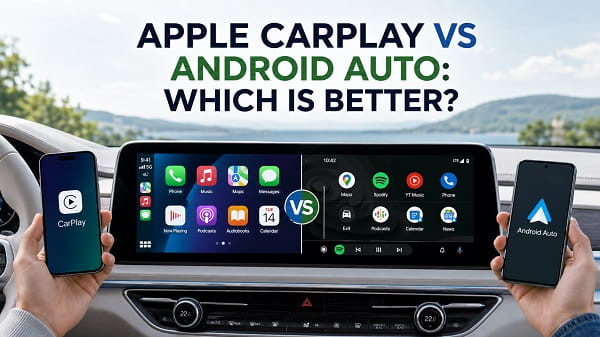
Apple CarPlay and Android Auto solve the same basic problem: they put the phone features drivers use most onto the vehicle’s display in a simpler, driving-focused interface. Both handle navigation, calls, messages, music, podcasts, and voice commands, and many modern cars support both systems.
The better choice in 2026 is not as simple as saying CarPlay is better for iPhone and Android Auto is better for Android. Your phone still determines which platform you can use, but the two systems now have different strengths. CarPlay has become more polished and information-rich with widgets, Live Activities, improved Messages features, and a redesigned interface in iOS 26. Android Auto has gained a major advantage in conversational voice control through Gemini, while retaining deep integration with Google Maps, Waze, messaging, and Google’s wider app ecosystem.
If I had to reduce the comparison to one sentence, CarPlay currently feels more polished and visually integrated, while Android Auto is stronger for conversational voice assistance and Google-centered navigation.
The best one for you depends on the phone you already use, the apps you rely on, the vehicle you drive, and whether you care more about interface polish, navigation, voice control, or flexibility.
Apple CarPlay vs Android Auto at a Glance
| Feature | Apple CarPlay | Android Auto | Better Choice |
|---|---|---|---|
| Phone support | iPhone | Android phones | Depends on your phone |
| Interface | Clean, polished, iOS-style | Practical, Google-focused | CarPlay |
| Navigation | Apple Maps, Google Maps, Waze and others | Google Maps, Waze and others | Android Auto by a small margin |
| Voice assistant | Siri | Gemini or Google Assistant | Android Auto |
| Messaging | Siri, Messages, Tapbacks, supported apps | Gemini/Assistant, message summaries, supported apps | Android Auto for voice, CarPlay for interface |
| Widgets | Yes, expanded in iOS 26 | Dashboard cards and app information | CarPlay |
| Live Activities | Yes | No direct equivalent with the same system-wide implementation | CarPlay |
| Google services | Good third-party support | Deep native integration | Android Auto |
| Apple ecosystem | Excellent | Limited | CarPlay |
| Wireless support | Yes, vehicle dependent | Yes, vehicle and phone dependent | Tie |
| Wired support | Yes, vehicle dependent | Yes | Tie |
| Car compatibility | More than 800 models listed by Apple | More than 500 models listed by Google | CarPlay on published counts |
| Aftermarket stereos | Widely available | Widely available | Tie |
| AI voice interaction | Siri | Gemini | Android Auto |
| Customization | Moderate | Moderate | Tie |
| Overall polish | Excellent | Very good | CarPlay |
| Best for Google users | Good | Excellent | Android Auto |
| Best for Apple users | Excellent | Not available on iPhone | CarPlay |
Those compatibility counts should not be treated as a perfect head-to-head measurement. Apple and Google may count models differently, and actual support can vary by model year, trim, region, and infotainment package. Always check the exact vehicle rather than assuming a model name guarantees support.
What Is Apple CarPlay?
Apple CarPlay is Apple’s in-car interface for iPhone.
When an iPhone connects to a compatible vehicle, CarPlay displays a simplified set of supported apps and controls on the dashboard. You can use the touchscreen, steering-wheel controls, physical knobs, or Siri depending on the vehicle.
CarPlay can provide access to:
- Apple Maps
- Google Maps
- Waze
- Phone
- Messages
- Apple Music
- Spotify
- Podcasts
- Audiobooks
- Calendar
- Compatible parking, charging, and driving apps
- Siri
- Widgets
- Live Activities
CarPlay is not simply screen mirroring. Apps must support the CarPlay environment, and Apple limits what types of interfaces can appear while driving.
With iOS 26, Apple expanded CarPlay with a redesigned interface, Messages Tapbacks, pinned conversations, widgets, Live Activities, and a more compact incoming-call presentation. Apple’s current CarPlay documentation also allows users to customize widgets and view Live Activities directly on the CarPlay Dashboard.
Apple lists more than 800 vehicle models as CarPlay compatible, in addition to many aftermarket stereos.
You can check Apple’s official CarPlay information and vehicle compatibility if you are buying a car specifically for CarPlay support.
What Is Android Auto?
Android Auto is Google’s phone-projection platform for compatible Android devices and vehicles.
It brings selected Android applications to the car display and provides driving-focused access to:
- Google Maps
- Waze
- Calls
- Messages
- WhatsApp and compatible messaging apps
- Spotify
- YouTube Music
- Podcasts
- Audiobooks
- Calendar-related information
- Gemini or Google Assistant
- Other approved Android Auto apps
Google currently requires Android 9 or later for wired Android Auto. Wireless Android Auto has additional phone, vehicle, and 5 GHz Wi-Fi requirements.
The most significant recent change is Gemini.
Google has been integrating Gemini directly into Android Auto as the replacement for the traditional Google Assistant experience. Gemini can handle more conversational requests, including finding places, creating or changing routes, sending messages, controlling media, and summarizing messages.
Google currently says Android Auto works with more than 500 vehicle models.
Google’s official Android Auto page provides the latest feature and compatibility information.
CarPlay vs Android Auto: User Interface
This is one of the clearest differences.
CarPlay Interface
CarPlay’s design closely follows Apple’s broader iOS design language.
The interface generally feels:
- Clean
- Predictable
- Consistent
- Easy to glance at
- Visually polished
The Dashboard can place navigation, media, suggestions, widgets, and other information together without requiring constant app switching.
iOS 26 brought another redesign to CarPlay, including newer visual elements, a compact call interface, widgets, and Live Activities.
That combination makes CarPlay feel less like a collection of enlarged phone apps and more like a cohesive dashboard.
Android Auto Interface
Android Auto also has a multi-panel dashboard that can display navigation alongside media or communication information.
Google’s approach tends to prioritize:
- Maps
- Suggested actions
- Media controls
- Notifications
- Voice commands
- Contextual information
It is efficient and easy to use, but the experience can feel slightly more utilitarian than CarPlay depending on the car display.
Winner: Apple CarPlay
For pure interface polish, I give CarPlay the advantage.
Android Auto is not difficult to use, but CarPlay currently feels more visually unified, especially with the iOS 26 additions.
Apple Maps vs Google Maps on CarPlay and Android Auto
Navigation is one of the biggest reasons to use either platform.
A common misconception is that CarPlay forces you to use Apple Maps while Android Auto forces you to use Google Maps.
That is not true.
CarPlay supports third-party navigation applications including Google Maps and Waze. Android Auto also supports multiple navigation apps, although Google Maps and Waze remain the most obvious choices.
Apple Maps on CarPlay
Apple Maps integrates deeply with the iPhone and CarPlay.
Depending on location and vehicle support, features can include:
- Turn-by-turn directions
- Traffic information
- Lane guidance
- Speed-limit information
- Siri navigation
- EV-related routing features
- Incident reporting
- Integration with Calendar and Contacts
Apple Maps has improved substantially, but its detail and coverage can still vary by country.
Google Maps on Android Auto
Google Maps remains one of Android Auto’s strongest advantages.
It offers:
- Extensive place data
- Live traffic
- Route alternatives
- Business information
- Lane guidance
- Voice search
- Saved locations
- Google account integration
- Gemini-assisted destination searches
For someone deeply invested in Google services, the experience is especially convenient.
Google Maps on CarPlay
Importantly, iPhone users can use Google Maps through CarPlay too.
That reduces Android Auto’s advantage in navigation.
However, Google Maps still feels more deeply integrated with Android and Google’s assistant ecosystem on Android Auto.
Winner: Android Auto, but narrowly
I give Android Auto a small advantage for navigation because of Google Maps integration and Gemini.
If you use an iPhone and Google Maps, however, this difference is much smaller than many comparisons suggest.
Waze: CarPlay vs Android Auto
Waze works with both platforms.
That means drivers who depend on:
- Community hazard reports
- Police alerts where available
- Road closures
- Traffic reports
- Route changes
do not have to choose their phone platform purely because of Waze.
The basic Waze experience is similar, although integration details can differ as the apps and platforms are updated.
If Waze is your primary navigation app, I would not use it as the deciding factor between iPhone and Android.
Winner: Tie
Both platforms support Waze well enough that the phone ecosystem matters more.
Siri vs Gemini in the Car
This is where Android Auto has changed most dramatically.
For years, the comparison was Siri versus Google Assistant.
In 2026, the more relevant comparison is increasingly Siri versus Gemini.
Siri With CarPlay
Siri can:
- Start navigation
- Call contacts
- Read messages
- Send replies
- Play music
- Start podcasts
- Interact with supported apps
- Handle basic questions and commands
It integrates well with iPhone and is designed to minimize the need to touch the screen.
Siri is predictable for common driving commands.
Gemini With Android Auto
Gemini brings more natural language understanding into Android Auto.
Instead of always phrasing a command in a rigid format, you can make more conversational requests.
For example, you may ask Gemini to:
- Find a restaurant along your route
- Change a destination based on a description
- Summarize a long group conversation
- Send a message
- Edit a message before sending it
- Play specific music
- Answer follow-up questions
Google currently documents Gemini in Android Auto as an opt-in upgrade and supports calls, messaging, navigation, and media controls through the assistant.
Gemini’s ability to understand context and follow-up questions gives Android Auto a substantial advantage for voice interaction.
Winner: Android Auto
For hands-free conversational assistance, Android Auto is the stronger platform right now.
That does not make every Gemini interaction perfect, but it represents a more ambitious voice experience than traditional command-based car assistants.
Messaging and Notifications
Both platforms try to limit distraction by reducing the amount of text displayed while driving.
CarPlay Messaging
CarPlay integrates strongly with Messages and Siri.
With iOS 26, Apple added:
- Tapbacks
- Pinned conversations
- Updated notification presentation
Tapbacks allow quick reactions such as a thumbs-up without dictating a full reply.
CarPlay also supports compatible third-party messaging apps.
Android Auto Messaging
Android Auto works with Google’s messaging environment and compatible third-party services.
Gemini or Google Assistant can:
- Read messages
- Send messages
- Reply by voice
- Refine a dictated message
- Summarize messages
Google’s current documentation specifically allows Gemini to summarize incoming messages, which can be useful when a long group chat becomes active during a trip.
Winner: Android Auto for voice, CarPlay for presentation
Gemini gives Android Auto more advanced hands-free message handling.
CarPlay’s newer Tapbacks, pinned conversations, and polished notification design make its on-screen presentation particularly strong.
Music and Audio
Both platforms are excellent for music.
CarPlay commonly supports:
- Apple Music
- Spotify
- YouTube Music
- Amazon Music
- Podcasts
- Audible
- Other compatible audio apps
Android Auto similarly supports major music, podcast, and audiobook applications.
If You Use Apple Music
CarPlay naturally provides the most integrated Apple Music experience.
It also supports SharePlay in the car, allowing passengers with compatible devices to participate in music control in supported situations.
If You Use YouTube Music
Android Auto has the natural ecosystem advantage.
If You Use Spotify
The difference is small.
Spotify works well on both.
Does CarPlay or Android Auto Sound Better?
Neither platform automatically produces superior audio quality.
Sound quality depends more on:
- Vehicle audio system
- USB implementation
- Wireless connection
- Source audio quality
- Streaming settings
- Head unit
- Amplifier
- Speakers
- Vehicle DSP
Do not buy an iPhone or Android phone expecting CarPlay or Android Auto alone to make the stereo sound dramatically better.
Winner: Tie
Choose based on the music service and phone ecosystem you already use.
Widgets and Live Information
This is an area where CarPlay has gained a meaningful advantage.
CarPlay Widgets
iOS 26 allows widgets in CarPlay.
Depending on the available apps and vehicle screen, widgets can provide glanceable information without opening the full application.
Apple lets users manage CarPlay widgets from the iPhone and supports features such as Smart Rotate and Widget Suggestions.
CarPlay Live Activities
Live Activities can appear on the CarPlay Dashboard.
Examples can include:
- Navigation progress
- Sports updates
- Delivery information
- Other supported real-time activities
This extends a familiar iPhone feature into the car.
Android Auto
Android Auto provides contextual cards and dashboard information, but it does not currently mirror Apple’s system-wide Live Activities model in the same way.
Winner: Apple CarPlay
Widgets and Live Activities make CarPlay more flexible for passive, glanceable information.
Calls
Both platforms handle calls well.
You can generally:
- Answer or reject calls
- Call contacts by voice
- See caller information
- Use steering-wheel controls
- Continue navigation during calls
CarPlay’s iOS 26 compact incoming-call interface is particularly useful because the incoming call no longer needs to obscure as much of the navigation screen.
Android Auto also handles calls cleanly, especially through Gemini or Google Assistant.
Winner: CarPlay by a small margin
The difference is not large, but the compact iOS 26 call presentation gives CarPlay a slight usability advantage.
Wired CarPlay vs Wired Android Auto
Both platforms can work over USB when the vehicle supports the relevant wired mode.
Wired connections have several advantages:
- Usually more stable
- Phone charges while connected
- Less sensitive to Wi-Fi interference
- Simple troubleshooting
- Often lower latency
They also have disadvantages:
- Cable clutter
- Connector wear
- Bad cables can cause dropouts
- Some car USB ports provide charging but not projection
A phone can charge while the data connection required for CarPlay fails. If you experience that specific issue, see Phone Charging but CarPlay Not Working for the cable, USB-port, and data-connection checks.
Android Auto can have similar cable problems.
Winner: Tie
The quality of the vehicle USB implementation matters more than the platform.
Wireless CarPlay vs Wireless Android Auto
Both systems support wireless operation in compatible vehicles.
Wireless projection normally relies on Bluetooth during connection setup and Wi-Fi for the higher-bandwidth in-car link.
The main advantage is obvious: your phone can stay in your pocket or on a wireless charging pad.
The disadvantages include:
- Higher battery consumption
- More heat
- Wireless interference
- Occasional pairing problems
- Connection priority conflicts when several phones are saved
Wireless Android Auto additionally requires a compatible phone with appropriate Wi-Fi support.
Reliability
There is no universal winner.
One vehicle may have extremely stable wireless CarPlay and unreliable Android Auto, while another infotainment implementation may behave the opposite way.
If your iPhone connects to ordinary Bluetooth but CarPlay never appears, Bluetooth Connected but CarPlay Not Working explains why Bluetooth audio alone does not mean the full CarPlay connection has been established.
Winner: Tie
Vehicle implementation matters too much to declare one universally more reliable.
CarPlay vs Android Auto App Support
Both systems restrict which apps can appear while driving.
That is intentional.
A car projection system should not behave like a normal phone screen with unrestricted social media, video, games, and other distracting applications available while the vehicle is moving.
Common supported categories include:
- Navigation
- Audio
- Messaging
- Calling
- Parking
- Charging
- Driving-related services
The exact app selection depends on platform policies and developer support.
CarPlay Strength
CarPlay has strong support from major navigation and audio services despite being an Apple platform.
You can still use Google Maps, Waze, Spotify, and many other non-Apple services.
Android Auto Strength
Android Auto fits naturally into the broader Android and Google ecosystem.
Users who already depend heavily on:
- Google Maps
- Google Messages
- Gemini
- YouTube Music
- Google Calendar-related data
will find the integration particularly natural.
Winner: Tie
Both cover the applications most drivers actually need.
Customization
Neither platform is designed as a fully customizable Android launcher or desktop environment.
CarPlay Customization
You can:
- Rearrange supported apps
- Remove apps from the CarPlay layout
- Change wallpaper where supported
- Customize widgets
- Configure Dashboard behavior
- Adjust certain appearance options
Android Auto Customization
You can:
- Choose which compatible apps appear
- Reorder the launcher
- Adjust selected notification and assistant settings
- Choose supported navigation and media applications
Winner: Tie
CarPlay’s widgets add flexibility, while Android’s app ecosystem offers its own advantages.
Neither is intended for unrestricted dashboard modification.
Car Compatibility
Apple currently lists more than 800 CarPlay-compatible vehicle models.
Google says Android Auto works with more than 500 models.
Those numbers make CarPlay look like the obvious winner, but be careful.
The lists may use different counting methods, and support can differ by:
- Country
- Model year
- Trim
- Infotainment package
- Software version
Many vehicles support both platforms.
Some manufacturers also make wired support standard while wireless projection is restricted to particular trims or head units.
Aftermarket Stereos
Both systems are widely available through aftermarket head units.
Brands in this market include manufacturers such as:
- Pioneer
- Kenwood
- Sony
- Alpine
- JVC
The exact model matters.
Do not assume a stereo supports wireless CarPlay or wireless Android Auto just because it supports the wired version.
Winner: CarPlay on published compatibility numbers
CarPlay has the larger officially published vehicle count, but I would still verify the exact car before buying.
CarPlay Ultra Changes the Comparison
CarPlay Ultra is different from ordinary CarPlay.
Instead of operating primarily inside the infotainment screen, CarPlay Ultra can integrate more deeply with vehicle systems and multiple displays.
Apple says it can provide information across driver screens, including instrument-cluster content and vehicle-specific controls.
However, CarPlay Ultra is not available in anything close to the number of cars that support standard CarPlay.
Its rollout began with selected Aston Martin vehicles, with additional manufacturers participating over time.
For most people shopping for a vehicle in 2026, standard CarPlay remains the relevant comparison.
Do not assume a vehicle advertised with Apple CarPlay supports CarPlay Ultra.
Android Auto’s Next-Generation Direction
Google is also continuing to expand Android Auto.
The biggest currently usable change is Gemini integration.
Google has additionally announced further Android Auto experience improvements for later releases, but I would not choose a car based entirely on unreleased software.
Buy based on what the specific phone and vehicle support today.
Software roadmaps change, and manufacturers can take additional time to implement platform features.
Which One Is Easier to Use?
For a driver who already knows iOS, CarPlay is extremely easy to understand.
For someone who already uses Android and Google services, Android Auto feels equally familiar.
If I put phone familiarity aside, CarPlay has a slight usability edge because of its consistent interface and current Dashboard presentation.
Android Auto compensates with better conversational voice interaction, which can reduce the need to touch the display at all.
Winner: CarPlay for interface, Android Auto for hands-free control
The better form of “easy” depends on whether you prefer tapping a predictable interface or speaking naturally to the assistant.
Which Is Better for Navigation?
Android Auto, narrowly.
Google Maps is deeply connected to Google’s broader services, and Gemini adds another layer of conversational search.
But this is not a decisive win.
An iPhone user can run Google Maps or Waze through CarPlay and get an excellent navigation experience without moving to Android.
If you strongly prefer Apple Maps, CarPlay is naturally the correct choice.
Which Is Better for Voice Commands?
Android Auto.
Gemini is the most important differentiator.
The ability to make conversational requests, ask follow-up questions, summarize messages, and refine commands gives Android Auto the stronger voice platform.
Siri remains useful for routine driving commands, but Gemini currently provides a more flexible conversational model.
Which Is Better for Messaging?
This depends on what you value.
Choose Android Auto if you want stronger AI-assisted voice interaction and message summaries.
Choose CarPlay if you prefer Apple’s Messages integration, Tapbacks, pinned conversations, and a highly polished notification experience.
Which Is Better for Music?
Tie.
Both support the major services.
CarPlay is preferable for someone heavily invested in Apple Music.
Android Auto has the obvious ecosystem advantage for YouTube Music.
Spotify users can choose either without making a major sacrifice.
Which Is Better for Wireless Use?
Tie.
Both can be excellent when the car manufacturer implements wireless projection properly.
Both can also suffer from:
- Interference
- Pairing corruption
- Multiple-phone conflicts
- Software bugs
- Infotainment firmware issues
If your CarPlay connection itself is unstable, CarPlay Keeps Disconnecting covers wired and wireless dropouts separately.
For Android users experiencing black screens, detection failures, or repeated disconnections, Why Is Android Auto Not Working? covers the Android-specific troubleshooting path.
Which Is Better for Older Cars?
The answer depends more on the aftermarket stereo than the platform.
If the car has no factory phone projection, you can install a compatible aftermarket head unit.
Look for:
- Wired CarPlay
- Wireless CarPlay
- Wired Android Auto
- Wireless Android Auto
Ideally, choose a receiver that supports all four.
That prevents your stereo from determining which phone ecosystem you must use later.
Can an iPhone Use Android Auto?
No.
Android Auto is designed for Android phones.
An iPhone uses CarPlay with a compatible vehicle.
Do not confuse Android Auto with Android Automotive or Google built-in.
Android Automotive is an operating system that can run as part of the vehicle itself. Android Auto is primarily a phone-projection system.
An iPhone can still connect through ordinary Bluetooth to many cars that do not support CarPlay, but that does not turn the vehicle into an Android Auto or CarPlay interface.
Can Android Phones Use Apple CarPlay?
No.
Native Apple CarPlay requires an iPhone.
Some aftermarket devices advertise unusual compatibility layers or mirroring systems, but they are not the same thing as native Apple CarPlay.
If you use Android, choose Android Auto support when shopping for a vehicle or stereo.
Do Cars Usually Support Both?
Many do.
For buyers who share a vehicle with someone using the other phone platform, support for both CarPlay and Android Auto should be a priority.
Also check whether both platforms have the same connection type.
A vehicle could theoretically offer:
- Wireless CarPlay but wired Android Auto
- Wired CarPlay and wired Android Auto
- Wireless support for both
- Different behavior depending on model year or trim
Do not stop at a specification that simply says “smartphone integration.”
Check the detailed manual or manufacturer specification.
Should CarPlay or Android Auto Influence Which Phone You Buy?
It can, but I would not make it the only factor.
If you already prefer iPhone, CarPlay is excellent.
If you already prefer Android, Android Auto is excellent.
Switching ecosystems solely because one dashboard platform wins a few comparison categories can create much larger tradeoffs involving:
- Photos
- Messages
- Apps
- Watches
- Passwords
- Cloud storage
- Smart-home devices
- Tablets
- Computers
- Paid subscriptions
The car platform is important, but it is still an extension of the phone.
Should It Influence Which Car You Buy?
Yes, more strongly.
If you regularly rely on navigation and streaming audio, I would avoid buying a modern vehicle that does not support your phone projection platform unless you are completely satisfied with the built-in infotainment system.
Before buying, test:
- Your actual phone.
- Wired connection if available.
- Wireless connection if available.
- Navigation.
- Voice commands.
- Calls.
- Your preferred music app.
- Steering-wheel controls.
A specification sheet cannot tell you how responsive or stable the head unit feels.
CarPlay vs Android Auto for Privacy
Both systems involve phone data and cloud-connected services.
The privacy implications depend heavily on:
- Which apps you use
- Siri or Gemini settings
- Location services
- Navigation history
- Voice interactions
- Messaging services
- Vehicle telemetry
- Manufacturer connected-car services
CarPlay is closely tied to Apple’s privacy model, while Android Auto integrates deeply with Google services.
This is not a simple situation where one platform collects data and the other does not.
Review the privacy settings on your phone and the vehicle itself.
Modern cars can have their own connected services independent of CarPlay or Android Auto.
CarPlay vs Android Auto for Safety
Both interfaces are designed to reduce the need to operate the phone directly while driving.
Useful safety-oriented features include:
- Voice control
- Large touch targets
- Simplified interfaces
- Steering-wheel controls
- Spoken navigation
- Message reading
- Limited app categories
However, neither system makes interacting with a screen risk-free.
Set your destination and music before moving whenever possible.
Use voice controls for changes during the trip and follow local distracted-driving laws.
The better platform is the one that allows you to complete the task with the least attention diverted from the road.
Apple CarPlay Pros and Cons
Pros
- Polished interface
- Excellent iPhone integration
- Strong Apple Maps integration
- Google Maps and Waze support
- Widgets
- Live Activities
- Improved Messages features in iOS 26
- Compact call interface
- Strong music and podcast support
- Very broad vehicle compatibility
- CarPlay Ultra on a small but growing number of vehicles
Cons
- Requires an iPhone
- Siri is less conversational than Gemini
- Wireless reliability depends heavily on the car
- Deepest features remain tied to Apple’s ecosystem
- CarPlay Ultra support is still limited
Android Auto Pros and Cons
Pros
- Excellent Google Maps integration
- Waze support
- Gemini voice assistance
- Natural conversational commands
- Strong messaging features
- Message summaries through Gemini
- Deep Google ecosystem integration
- Major music and podcast apps supported
- Wired and wireless options
- Broad vehicle compatibility
Cons
- Requires an Android phone
- Wireless mode has specific phone and Wi-Fi requirements
- Interface is slightly less polished than current CarPlay in my view
- Feature availability can vary by phone and rollout status
- Some Gemini features may depend on account, language, region, or ongoing rollout
Apple CarPlay vs Android Auto: Category Winners
Here is how I would score the current platforms.
| Category | Winner |
|---|---|
| Interface design | Apple CarPlay |
| Navigation | Android Auto |
| Voice assistant | Android Auto |
| Google Maps integration | Android Auto |
| Apple Maps integration | Apple CarPlay |
| Waze | Tie |
| Messaging by voice | Android Auto |
| Message interface | Apple CarPlay |
| Music | Tie |
| Widgets | Apple CarPlay |
| Live information | Apple CarPlay |
| Calls | Apple CarPlay |
| Wired connection | Tie |
| Wireless connection | Tie |
| App selection | Tie |
| Vehicle compatibility | Apple CarPlay |
| Apple ecosystem | Apple CarPlay |
| Google ecosystem | Android Auto |
| Overall visual polish | Apple CarPlay |
| Conversational AI | Android Auto |
That gives CarPlay more individual category wins, but some Android Auto wins, especially navigation and voice assistance, are extremely important in everyday driving.
Which One Would I Choose?
If I were choosing based purely on the in-car software rather than the phone, I would give Apple CarPlay a slight overall advantage in 2026.
The current CarPlay interface is polished, widgets and Live Activities add useful information without forcing you into full apps, and the iOS 26 improvements make calls and Messages feel particularly well designed for a car display.
But Android Auto is the platform I would choose if voice control and Google services were my highest priorities.
Gemini makes a real difference. Being able to speak more naturally, ask follow-up questions, summarize messages, and interact with navigation conversationally is more useful while driving than many visual features.
So my practical verdict is:
Choose CarPlay for interface polish, Apple ecosystem integration, widgets, and Live Activities.
Choose Android Auto for Gemini, conversational voice control, and the deepest Google integration.
For most people, however, the decision has already been made by the phone in their pocket. The good news is that neither platform is a bad choice. Both now provide excellent navigation, communication, and entertainment without requiring you to operate the full phone interface while driving.
If you are shopping for a car rather than a phone, the best move is to buy a vehicle that supports both Apple CarPlay and Android Auto, preferably in both wired and wireless form. That keeps the vehicle flexible if you change phones later and makes it easier for other drivers in the household to use the same infotainment system.
Frequently Asked Questions
Is Apple CarPlay better than Android Auto?
CarPlay has the edge in interface polish, widgets, Live Activities, and Apple ecosystem integration. Android Auto is stronger for Gemini voice assistance, conversational commands, and Google integration. The better system depends on which features matter most to you.
Is Android Auto better for Google Maps?
Android Auto provides the deepest native Google integration, but Google Maps also works through Apple CarPlay. An iPhone user does not need Android Auto just to use Google Maps in the car.
Can CarPlay use Waze?
Yes. Waze is supported on CarPlay as well as Android Auto.
Can Apple CarPlay use Google Maps?
Yes. Google Maps works with CarPlay, so CarPlay users are not restricted to Apple Maps.
Does Android Auto have Siri?
No. Android Auto uses Gemini or Google Assistant depending on your phone and rollout status. Siri is Apple’s assistant and is used with CarPlay.
Does CarPlay have Gemini?
No. Gemini is Google’s AI assistant and is integrated with Android Auto. CarPlay uses Siri for voice interaction.
Which has better voice control?
Android Auto currently has the advantage because Gemini supports more conversational requests and follow-up interactions.
Which has more compatible cars?
Apple currently lists more than 800 CarPlay-compatible models, while Google says Android Auto works with more than 500. Those numbers are not necessarily directly comparable, so verify your exact model year and trim.
Does wireless CarPlay require Bluetooth?
Wireless CarPlay typically uses Bluetooth during discovery and pairing and Wi-Fi for the main high-bandwidth connection.
Does wireless Android Auto need Wi-Fi?
Yes. Google requires a compatible wireless Android Auto phone with 5 GHz Wi-Fi support, along with a compatible car or stereo.
Which uses more battery, CarPlay or Android Auto?
Wireless versions of both can consume significant battery because navigation, mobile data, GPS, Bluetooth, Wi-Fi, and audio may operate simultaneously. Battery usage depends more on the phone, apps, signal conditions, and trip length than on the platform name alone.
Which is better for Spotify?
There is no major reason to choose one platform purely for Spotify. Spotify works on both CarPlay and Android Auto.
Which is better for an older car?
Choose an aftermarket stereo that supports both CarPlay and Android Auto. If possible, buy one with both wired and wireless support so you are not locked into one phone ecosystem.
Can I install Android Auto in a car that has CarPlay?
If the existing infotainment hardware supports only CarPlay, installing the Android Auto phone app will not add Android Auto support to the car. You may need an infotainment update, manufacturer-supported upgrade, or compatible aftermarket head unit.
Can I install CarPlay in a car that only has Android Auto?
Not through an iPhone setting alone. Native CarPlay requires compatible infotainment hardware or an aftermarket stereo that supports it.
Is CarPlay Ultra the same as normal CarPlay?
No. CarPlay Ultra integrates much more deeply with compatible vehicle displays and systems. Standard CarPlay remains far more widely available.
Is Android Auto the same as Android Automotive?
No. Android Auto projects supported phone functions onto a compatible car display. Android Automotive is an operating system that can run directly in a vehicle’s infotainment system.
Should I choose a car with both?
Yes, especially if multiple people drive the vehicle or you may switch phone ecosystems later. Support for both CarPlay and Android Auto gives you far more flexibility over the life of the car.
