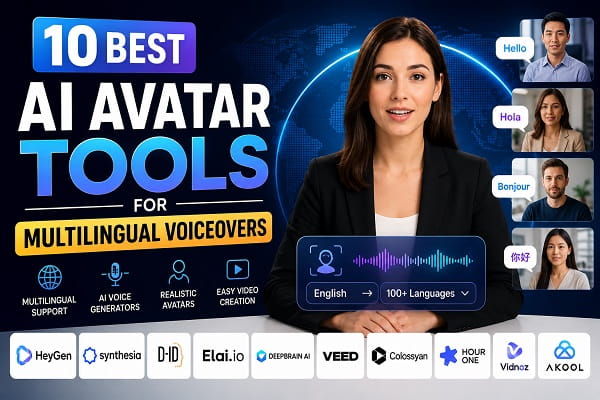
Creating videos in multiple languages used to require expensive recording equipment, professional voice actors, and hours of editing. Today, AI avatar tools have completely changed the process by allowing creators to generate realistic presenters, translate voiceovers into dozens of languages, and produce professional videos in just a few minutes.
Whether you’re a YouTuber, online educator, marketer, business owner, or content creator, AI avatar generators can help you reach a global audience without recording the same video repeatedly in different languages.
Many of these AI avatar generators offering multilingual support use advanced artificial intelligence to generate lifelike presenters, synchronize lip movements, clone voices, and translate scripts into more than 100 languages, making global video creation faster and more affordable.
The growing demand for multilingual content has made AI avatar software one of the fastest-growing segments of the AI industry. Businesses use these platforms for employee training, customer support videos, product demonstrations, social media content, and international marketing campaigns.
With dozens of AI avatar platforms available today, choosing the right one isn’t always easy. Some focus on realistic human avatars, while others specialize in voice cloning, language translation, or video localization.
This guide compares the best AI avatar tools for multilingual voiceovers in 2026. We’ll look at their features, supported languages, pricing, strengths, weaknesses, and the types of users each platform is best suited for.
Quick Comparison of the Best AI Avatar Tools
| Tool | Languages | AI Avatars | Voice Cloning | Free Plan | Best For |
|---|---|---|---|---|---|
| HeyGen | 175+ | Yes | Yes | Limited | Content creators |
| Synthesia | 140+ | Yes | Yes | No | Business training |
| D-ID | 100+ | Yes | Yes | Limited | Talking photos |
| Elai.io | 75+ | Yes | Yes | Limited | Educational videos |
| DeepBrain AI | 80+ | Yes | Yes | Trial | Professional presentations |
| VEED AI | 50+ | Limited | AI Voices | Yes | Social media videos |
| Colossyan | 70+ | Yes | Yes | Trial | Corporate learning |
| Hour One | 100+ | Yes | Yes | Trial | Business presentations |
| Vidnoz AI | 140+ | Yes | Yes | Yes | Budget-friendly video creation |
| Akool | 150+ | Yes | Yes | Limited | Marketing and localization |
What Are AI Avatar Tools?
AI avatar tools are software platforms that use artificial intelligence to generate digital presenters capable of speaking naturally in multiple languages. Instead of recording yourself on camera, you simply type or upload a script, choose an avatar, select a voice, and let the AI generate a professional-quality video.
Many modern AI avatar platforms also include features such as:
- AI voice generation
- Voice cloning
- Automatic translation
- Lip synchronization
- Subtitle generation
- Custom avatars
- Background editing
- Video templates
These features significantly reduce production time while making multilingual content creation much more accessible for individuals and businesses.
Why Use AI Avatar Tools for Multilingual Voiceovers?
Creating separate recordings for every language is both expensive and time-consuming. AI avatar tools solve this challenge by automatically translating scripts and generating natural-sounding voiceovers in multiple languages.
Some of the biggest advantages include:
- Reach audiences worldwide.
- Save time on video production.
- Reduce voice-over costs.
- Create consistent branding across languages.
- Produce training videos more efficiently.
- Scale YouTube and social media content.
- Improve accessibility for international viewers.
If you regularly create educational videos, marketing campaigns, or product demonstrations, multilingual AI avatars can dramatically speed up your workflow.
1. HeyGen
HeyGen has become one of the most popular AI avatar platforms thanks to its realistic presenters, excellent multilingual support, and intuitive interface.
It allows users to create studio-quality videos using AI-generated avatars that can speak naturally in over 175 languages and dialects. The platform also supports voice cloning, instant translation, and automatic lip synchronization, making it one of the strongest choices for creators targeting international audiences.
Key Features
- More than 175 supported languages
- Realistic AI presenters
- Voice cloning
- AI translation
- Automatic lip sync
- Custom avatars
- Brand customization
- Team collaboration
Pros
- Extremely realistic avatars
- Outstanding language support
- Easy for beginners
- Excellent voice quality
- Fast video generation
Cons
- Advanced features require higher-tier plans
- Free plan has usage limits
Best For
YouTubers, marketers, educators, online businesses, and creators producing multilingual video content.
Pricing
Offers a limited free plan with paid subscriptions starting from an affordable monthly rate.
2. Synthesia
Synthesia is one of the best-known AI avatar platforms and is widely used by businesses, educational institutions, and enterprise teams. It allows users to create professional videos without cameras, microphones, or studios by simply entering text.
The platform is particularly strong for multilingual corporate communication, employee training, onboarding videos, product demonstrations, and educational content. Its AI avatars are highly realistic, and the interface is designed for users with little or no video editing experience.
Key Features
- More than 140 supported languages
- Over 230 AI avatars
- AI voiceovers
- Voice cloning
- Screen recording
- PowerPoint import
- Brand kits
- Team collaboration
- AI script assistant
Pros
- Excellent avatar quality
- Professional video templates
- Easy-to-use interface
- Strong enterprise features
- High-quality multilingual voiceovers
Cons
- No permanent free plan
- Premium plans can be expensive for individuals
Best For
Businesses, HR teams, educators, and organizations creating training or instructional videos.
Pricing
Paid plans start at approximately $29 per month, with enterprise pricing available for larger teams.
3. D-ID
D-ID specializes in turning photos into realistic talking avatars. Instead of selecting a pre-made presenter, you can upload an image and make it speak naturally using AI-generated voiceovers.
Its multilingual support makes it useful for personalized marketing videos, customer engagement, and digital storytelling.
Key Features
- AI talking photos
- More than 100 languages
- Voice cloning
- Text-to-video
- API integration
- Facial animation
- AI presenters
Pros
- Unique talking-photo technology
- Fast video creation
- Good multilingual support
- Suitable for marketing campaigns
Cons
- Fewer built-in avatars than some competitors
- Advanced customization requires paid plans
Best For
Marketing agencies, educators, and businesses creating personalized video content.
Pricing
Offers a free trial with paid plans available for individual creators and businesses.
4. Elai.io
Elai.io focuses on helping businesses and educators create professional AI videos without recording themselves.
Its AI presenters can deliver presentations, tutorials, product demonstrations, and educational videos in multiple languages.
Key Features
- AI presenters
- More than 75 languages
- PowerPoint to video conversion
- AI script generation
- Screen recording
- Custom branding
- Interactive video support
Pros
- Simple workflow
- Ideal for online courses
- Good presentation features
- Supports multilingual narration
Cons
- Smaller avatar library
- Some premium features require higher plans
Best For
Teachers, online course creators, consultants, and trainers.
Pricing
Limited free plan with paid subscriptions starting from around $29 per month.
5. DeepBrain AI
DeepBrain AI is designed for businesses that require realistic AI presenters capable of delivering professional presentations in multiple languages.
The platform produces natural facial expressions, synchronized lip movements, and realistic speech suitable for news broadcasts, customer service videos, and corporate communication.
Key Features
- AI news presenters
- More than 80 supported languages
- Voice cloning
- AI script generation
- ChatGPT integration
- Custom avatars
- Presentation templates
Pros
- Highly realistic presenters
- Excellent lip synchronization
- Strong multilingual support
- Professional-quality output
Cons
- Learning curve for beginners
- Premium plans can become costly
Best For
Corporate communication, broadcasting, marketing teams, and educational organizations.
Pricing
Free trial available with paid plans based on usage and business requirements.
6. VEED AI
VEED AI combines AI avatar generation with a complete online video editing platform, making it a great option for creators who want to edit, subtitle, and publish videos in one place.
While its avatar library isn’t as extensive as some dedicated platforms, its editing capabilities make it especially attractive for social media creators.
Key Features
- AI avatars
- AI voiceovers
- Automatic subtitles
- Video editing
- Screen recording
- Text-to-video
- AI translation
Pros
- Beginner friendly
- Powerful video editor
- Free plan available
- Excellent subtitle generation
Cons
- Fewer avatar choices
- Some AI features require premium plans
Best For
Content creators, YouTubers, freelancers, and social media marketers.
Pricing
Free plan available with paid subscriptions offering additional AI features and higher export quality.
7. Colossyan
Colossyan is designed primarily for workplace learning and corporate communication. It enables businesses to create engaging AI avatar videos for employee onboarding, compliance training, customer support, and internal communication without hiring presenters or video production teams.
One of its standout features is the ability to convert written documents into professional videos narrated by realistic AI avatars in multiple languages.
Key Features
- More than 70 supported languages
- AI presenters
- Voice cloning
- Document-to-video conversion
- Interactive video elements
- Screen recording
- Team collaboration
- Video templates
Pros
- Excellent for business training
- Professional-looking avatars
- Easy document conversion
- Supports multilingual voiceovers
Cons
- Smaller avatar library than HeyGen
- Most advanced features require premium plans
Best For
Corporate training teams, HR departments, educational institutions, and enterprise organizations.
Pricing
A free trial is available, while paid plans start from approximately $27 per month.
8. Hour One
Hour One uses realistic AI presenters to help businesses create videos for training, sales, education, customer support, and marketing. The platform focuses on producing studio-quality videos with natural speech and lifelike digital presenters.
Its multilingual capabilities make it suitable for organizations communicating with international audiences.
Key Features
- More than 100 supported languages
- AI-generated presenters
- Voice cloning
- AI script assistance
- Custom branding
- Team collaboration
- Presentation templates
- API integration
Pros
- Very realistic avatars
- High-quality video output
- Suitable for large organizations
- Excellent multilingual support
Cons
- Limited free access
- Enterprise features can be expensive
Best For
Businesses, sales teams, training providers, and educational organizations.
Pricing
Offers a free trial with paid plans available for individuals and businesses.
9. Vidnoz AI
Vidnoz AI has become increasingly popular because it provides many AI video creation features at little or no cost, making it attractive for beginners and small businesses.
The platform includes hundreds of AI avatars, numerous templates, multilingual voice generation, and simple drag-and-drop editing tools.
Key Features
- More than 140 languages
- Hundreds of AI avatars
- AI voices
- AI script generation
- Video templates
- Face swap
- AI translation
- Automatic subtitles
Pros
- Generous free plan
- Large collection of avatars
- Beginner-friendly interface
- Excellent value for small businesses
Cons
- Premium exports require a paid subscription
- Some advanced customization options are limited
Best For
Small businesses, freelancers, YouTubers, marketers, and beginner content creators.
Pricing
Free plan available with affordable premium plans for higher-quality exports and additional AI features.
10. Akool
Akool is an AI-powered content creation platform that combines realistic avatars, multilingual voiceovers, face swapping, image generation, and localization tools into one solution.
Its focus on global marketing makes it particularly useful for businesses creating multilingual promotional content.
Key Features
- More than 150 supported languages
- AI avatars
- Voice cloning
- AI translation
- Face swapping
- AI image generation
- Lip synchronization
- Marketing templates
Pros
- Excellent multilingual capabilities
- Wide range of AI tools
- Good localization features
- Suitable for international campaigns
Cons
- Some premium tools require higher-tier plans
- Beginners may need time to explore all available features
Best For
Marketing agencies, international businesses, advertising teams, and digital creators.
Pricing
Offers a limited free plan with paid subscriptions available for additional AI features and higher usage limits.
How to Choose the Best AI Avatar Tool
Not every AI avatar platform is built for the same audience. Before subscribing, consider how you plan to use the software.
Choose Based on Your Content Type
If you’re creating YouTube videos or social media content, look for platforms with realistic avatars, fast rendering, and easy editing.
Businesses creating employee training or customer support videos should prioritize collaboration tools, branding options, and presentation templates.
Check Language Support
If multilingual voiceovers are your priority, choose an AI avatar generator that supports the languages your audience speaks. The best AI avatar generators offering multilingual support can translate scripts, generate natural AI voices, and synchronize lip movements across dozens or even hundreds of languages.
Platforms such as HeyGen, Synthesia, Akool, Vidnoz AI, and D-ID make it easier for businesses, educators, marketers, and YouTube creators to produce localized videos without recording separate versions for each language. Some even support regional accents, voice cloning, and automatic subtitle generation, making them suitable for reaching global audiences.
Compare Voice Quality
Natural-sounding AI voices make a significant difference in viewer engagement.
Listen to sample voices before subscribing and check whether the platform supports voice cloning or emotional speech.
Review Pricing Carefully
Many AI avatar platforms offer free plans or free trials, but advanced features such as custom avatars, voice cloning, higher export quality, and unlimited video generation usually require paid subscriptions.
Compare the available plans to ensure they match your budget and production needs.
Consider Ease of Use
If you’re new to AI video creation, choose software with an intuitive interface, ready-made templates, and drag-and-drop editing tools.
More advanced users may benefit from platforms that include API access, team collaboration, and extensive customization options.
Frequently Asked Questions
What is an AI avatar tool?
An AI avatar tool is software that creates digital presenters capable of speaking naturally using artificial intelligence. Users simply enter a script, choose an avatar and voice, and the platform generates a complete video without requiring cameras or recording equipment.
Which AI avatar generators offer multilingual support?
Several AI avatar generators offer multilingual support, including HeyGen, Synthesia, Akool, Vidnoz AI, D-ID, Elai.io, and DeepBrain AI. These platforms can translate scripts, generate AI voiceovers in multiple languages, and create localized videos for audiences around the world. HeyGen currently supports one of the largest language libraries, with more than 175 languages and dialects.
Are AI avatar tools free?
Many platforms offer free plans or trial versions, but premium features such as voice cloning, custom avatars, higher-quality exports, and longer videos generally require a paid subscription.
Which AI avatar tool is best for YouTube creators?
HeyGen, Vidnoz AI, and VEED AI are excellent choices for YouTubers because they combine realistic avatars, multilingual voiceovers, simple editing tools, and templates designed for online content.
Can AI avatar tools clone my voice?
Yes. Many leading platforms, including HeyGen, Synthesia, DeepBrain AI, and Akool, offer AI voice cloning that allows videos to sound more natural and consistent with your personal or brand identity.
Are AI avatar videos good for businesses?
Yes. Businesses use AI avatar tools for employee training, product demonstrations, customer support, onboarding, internal communication, marketing campaigns, and educational content. They help reduce production costs while making it easier to create multilingual videos for international audiences.
Which AI Avatar Tool Should You Choose?
The best AI avatar tool depends on your goals, budget, and the type of videos you create.
If you want the most complete solution for multilingual voiceovers, HeyGen stands out with its realistic avatars, extensive language support, and excellent voice cloning features. Synthesia remains one of the strongest options for business training and enterprise communication, while Vidnoz AI offers impressive features for creators looking for a generous free plan.
Before choosing a platform, compare language support, pricing, avatar quality, voice realism, and collaboration features. Most leading tools offer free trials or limited free plans, making it easy to test several options before committing to a subscription.
Selecting the right AI avatar platform will help you create professional multilingual videos faster, reduce production costs, and expand your reach to audiences around the world.
