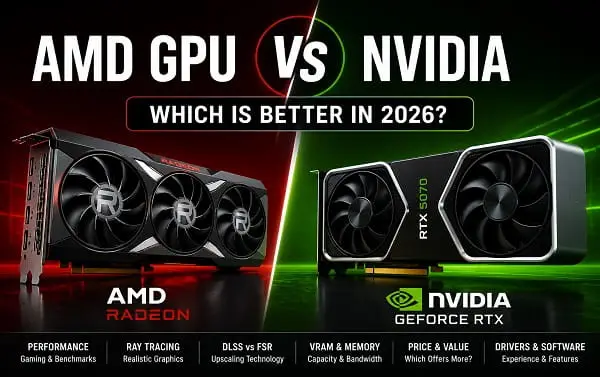
Choosing between an AMD GPU and an NVIDIA GPU is no longer as simple as saying one brand is better for gaming and the other is better for everything else. Both companies make powerful graphics cards, both support modern features such as hardware ray tracing and AI-assisted upscaling, and both have cards that make sense at different budgets.
The better choice depends on what you actually do with your PC.
If your priority is getting the highest traditional gaming performance for the money, AMD can be the stronger option at the right price. If ray tracing, AI workloads, CUDA applications, advanced upscaling, content creation, or the broader software ecosystem matter more, NVIDIA often has the advantage.
GPU prices can also change significantly, so compare the actual prices available when you are ready to buy.
This guide compares AMD Radeon and NVIDIA GeForce GPUs in the areas that matter most: gaming performance, ray tracing, DLSS versus FSR, VRAM, AI, content creation, drivers, Linux, power consumption, and value.
AMD GPU vs NVIDIA: The Short Answer
Choose an AMD GPU if:
- You want strong traditional gaming performance for your budget
- The Radeon card you are considering costs significantly less than its NVIDIA competitor
- You want a generous amount of VRAM at your price point
- You mainly play games without heavy ray tracing
- You prefer AMD’s Radeon software ecosystem
- You use Linux and want to consider AMD’s broader open-driver ecosystem
Choose an NVIDIA GPU if:
- Ray tracing and path tracing are important to you
- You want DLSS and NVIDIA’s latest AI-assisted rendering features
- You use CUDA-dependent applications
- You edit video, render 3D projects, stream, or use GPU-accelerated creative software
- You want NVIDIA Studio drivers and the broader NVIDIA creator ecosystem
- You use local AI tools that specifically expect NVIDIA CUDA support
For many buyers, the final decision should not be based on the logo. Compare the two specific graphics cards available at the price you are actually paying.
An AMD card that costs $100 less than its nearest NVIDIA alternative can be a much better purchase even if NVIDIA wins on some features. On the other hand, paying slightly more for an NVIDIA card can make sense when DLSS, CUDA, NVENC, or ray tracing will be used regularly.
AMD Radeon vs NVIDIA GeForce: What Is Different?
AMD sells consumer gaming GPUs primarily under the Radeon brand. NVIDIA sells consumer gaming GPUs under the GeForce brand.
In the current generation, AMD’s Radeon RX 9000 series is based on the RDNA 4 architecture, while NVIDIA’s GeForce RTX 50 series uses the Blackwell architecture.
AMD is especially competitive in traditional gaming performance, VRAM and price-to-performance, while NVIDIA places more emphasis on its wider software and feature ecosystem, including DLSS, CUDA, Tensor Cores, NVIDIA Studio and NVENC.
Neither approach automatically makes one brand better.
Gaming Performance: AMD Can Offer Excellent Raster Performance
Traditional rasterized gaming is still the most useful starting point for comparing graphics cards.
Rasterization is the conventional method games use to render scenes without relying heavily on advanced ray-tracing effects. If you play competitive games, older games, esports titles, or modern games with ray tracing disabled, this type of performance matters most.
AMD has traditionally been very competitive in rasterized gaming, particularly when comparing cards at similar price points. The Radeon RX 9000 series continues AMD’s focus on high frame rates, modern display support, and 16GB configurations on key models.
Independent 2026 benchmark testing also shows why comparing specific cards is more useful than comparing brands as a whole. Performance can change substantially between price tiers, resolutions, and individual games. A Radeon card can be the better value at one level, while an NVIDIA card wins clearly at another.
For pure gaming, ask these questions:
- What resolution do you play at?
- What games do you actually play?
- Do you enable ray tracing?
- What is the current price of each card?
- How much VRAM does each model have?
- Which features will you actually use?
Do not buy an NVIDIA GPU purely because it is NVIDIA, and do not buy AMD purely because it appears to offer more VRAM. Check the complete card-to-card comparison.
Ray Tracing: NVIDIA Still Has the Stronger Overall Position
Ray tracing simulates the behavior of light more realistically than traditional rendering. Depending on the game, it can improve reflections, shadows, global illumination, and other lighting effects.
Path tracing goes even further and is significantly more demanding.
AMD has improved ray-tracing performance with RDNA 4, and current Radeon cards are much more competitive than some older generations. However, NVIDIA still has the broader advantage when ray tracing and path tracing are a major part of your buying decision.
That advantage is not only about raw ray-tracing performance. NVIDIA also combines dedicated ray-tracing hardware with DLSS, Ray Reconstruction, and other AI-assisted rendering technologies that can make demanding visual settings more practical.
This does not mean every gamer needs NVIDIA.
If you rarely enable ray tracing, paying extra for a feature you will leave turned off makes little sense. But if you regularly play visually demanding games with maximum ray tracing or path tracing, NVIDIA is generally the safer choice.
Independent GPU testing in 2026 continues to show NVIDIA’s stronger position at the highest ray-tracing workloads, although AMD’s RDNA 4 cards have narrowed the gap and can provide good results at the right performance tier.
DLSS vs FSR: One of the Biggest Differences
Upscaling technology has become one of the most important parts of a modern graphics card.
Instead of rendering every frame at the monitor’s native resolution, the game can render at a lower internal resolution and use advanced algorithms to reconstruct the final image. This can increase frame rates significantly.
NVIDIA DLSS
NVIDIA’s DLSS is built around AI and dedicated Tensor Core hardware.
The current GeForce RTX 50 series supports NVIDIA’s latest DLSS 4.5 features, while the RTX 50-series platform also includes newer AI-assisted rendering capabilities and Multi Frame Generation support on supported hardware.
DLSS is often considered one of NVIDIA’s strongest gaming advantages because it combines:
- AI-assisted super resolution
- Frame generation
- Multi Frame Generation on supported RTX 50-series hardware
- Ray Reconstruction
- Deep Learning Anti-Aliasing
NVIDIA’s official RTX 50-series specifications list fifth-generation Tensor Cores and fourth-generation ray-tracing cores across the current GeForce lineup.
The practical benefit is that NVIDIA users can often improve frame rates while maintaining good image quality in supported games.
AMD FSR
AMD FidelityFX Super Resolution is AMD’s upscaling technology.
FSR has the advantage of being more open and widely compatible across different hardware ecosystems. FSR 4 introduced a newer machine-learning approach for supported Radeon RX 9000 graphics cards, and AMD has continued expanding FSR support through its software and driver updates.
AMD has also developed technologies around frame generation, including AMD Fluid Motion Frames.
The difference is important: game-integrated upscaling and frame generation are not identical to driver-level frame-generation options. Game-native support generally gives developers more information to work with, while driver-level technologies can broaden compatibility.
For many users, the choice comes down to maturity and compatibility in the games they play.
DLSS is usually the stronger reason to choose NVIDIA if image quality and AI-assisted rendering are high priorities.
FSR remains a useful AMD advantage because of its broader ecosystem and continuing development, particularly for Radeon users who want modern upscaling without being locked to NVIDIA hardware.
AMD’s official RX 9000-series materials describe RDNA 4 cards as supporting FSR 4 and include dedicated AI accelerators and improved ray-tracing hardware.
VRAM: Do Not Ignore the Memory Configuration
VRAM, or video memory, is one of the most important specifications to compare.
A GPU can have an excellent processor and still become limited by insufficient memory in certain games or workloads.
VRAM is used for:
- High-resolution textures
- Large game worlds
- Ray-tracing data
- 4K rendering
- Video editing
- 3D scenes
- AI models and datasets
- Multiple displays
AMD has often been aggressive with VRAM capacity in certain price categories. For example, key Radeon RX 9000-series cards provide 16GB of memory.
NVIDIA’s current lineup is more varied. Some models have generous memory configurations, while lower and mid-range products can have substantially less VRAM.
This is why you should not compare only the GPU name.
A card with 8GB, 12GB, and 16GB of VRAM can offer very different long-term flexibility depending on your games and resolution.
For 1080p esports gaming, 8GB may still be sufficient for many players. For demanding new games, 1440p with high-quality textures, 4K, heavy mods, professional work, or local AI, additional VRAM can become much more valuable.
More VRAM does not automatically make a slower GPU faster. It simply gives the card more memory headroom when the workload needs it.
AI Workloads: NVIDIA Has a Major Ecosystem Advantage
This is one of the clearest reasons to choose NVIDIA.
NVIDIA’s CUDA ecosystem is deeply established in GPU computing, AI development, scientific applications, 3D rendering, and many professional workflows.
A large number of tutorials and applications are designed around CUDA.
If you regularly use:
- Local AI image generation
- Machine learning frameworks
- AI development environments
- CUDA-based rendering
- Scientific GPU computing
- Professional applications with CUDA acceleration
NVIDIA is usually the safer option.
This does not mean AMD cannot run AI workloads. AMD has its own hardware and software ecosystem for AI acceleration, and compatibility continues to develop.
However, the question is not whether AMD can technically perform AI tasks. The more important question is whether the exact software you want to use supports AMD well.
Before buying a GPU for AI, check the requirements for the specific application.
NVIDIA’s current Blackwell GeForce GPUs continue to expose CUDA capabilities, and NVIDIA maintains a broad compute ecosystem around its consumer and professional graphics hardware.
Content Creation and Video Editing: NVIDIA Is Often Easier
For video editing, streaming, 3D work, and other creative tasks, NVIDIA frequently has the advantage because of its software ecosystem.
The current RTX 50 series includes NVIDIA’s ninth-generation NVENC hardware encoders. Depending on the exact card, the number and configuration of encoders can vary.
This can matter for OBS streaming, video recording, video editing, hardware encoding and live broadcasting. NVIDIA also offers Studio Drivers for supported creative applications and production workflows.
If your PC is primarily a gaming machine, this may not matter much. If you earn money from video editing, streaming, 3D rendering, or GPU-accelerated creative work, software support can be worth more than a small difference in game frame rates.
AMD is not a poor choice for content creation. Newer Radeon cards support modern hardware encoding, including AV1 on supported generations, and the RX 9000 series includes improvements to AMD’s media capabilities.
For AMD users who stream, I have already covered the practical side in my guide to the best OBS settings for AMD GPU, including encoder choices for older and newer Radeon generations.
Still, if you are comparing two similarly priced cards and your workflow depends heavily on CUDA or applications with mature NVIDIA acceleration, NVIDIA can justify the extra cost.
Drivers and Software: The Gap Is Smaller Than It Used to Be
The old argument that NVIDIA drivers are always reliable and AMD drivers are always problematic is too simplistic.
Both companies release frequent driver updates. Both can have game-specific bugs. Both can introduce a new issue while fixing another.
The Radeon RX 9000 series receives regular AMD Software: Adrenalin Edition updates with game support, fixes and FSR improvements.
AMD’s advantage is that the Adrenalin application provides a relatively unified place for many settings and features.
You can manage:
- Driver updates
- Game profiles
- Performance tuning
- Recording and streaming
- Radeon features
- Display options
NVIDIA’s modern software setup has also become more streamlined with the NVIDIA App, which brings together driver management, settings, overlays, and related features.
If you own an NVIDIA card and need help setting up its traditional graphics controls, see my guide on how to install NVIDIA Control Panel on Windows 11 or 10.
If you are trying to reduce background activity, I also explain how to stop the NVIDIA App from running in the background.
My advice is simple: do not choose a GPU based on old driver stereotypes. Check current support for the games and applications you use.
Linux: AMD Is Often the Simpler Choice for Gaming
Linux GPU support deserves its own consideration.
AMD has a strong position among Linux users because much of its open-source graphics-driver stack is integrated into the Linux ecosystem. This can make Radeon cards attractive for Linux gaming, SteamOS-like environments, and distributions where open drivers are preferred.
NVIDIA also supports Linux and has made significant progress, but the experience can vary depending on the distribution, desktop environment, kernel, driver version, and application.
The right answer depends on your setup.
If Linux is your main operating system, research your specific distribution and the exact GPU model before buying.
If you use Windows only, Linux driver differences are unlikely to influence your purchase.
Power Consumption and Efficiency
Do not assume AMD always uses more power or NVIDIA always uses less. Compare the exact card’s board power, real gaming draw, performance per watt, cooler design and power-supply requirements. A more power-hungry card can still be the better value if it delivers substantially more performance.
Always judge the individual model rather than the entire brand.
Gaming Features Beyond Raw FPS
The software features available around a GPU can change your experience.
NVIDIA features
Depending on the card and game, NVIDIA offers technologies and tools such as:
- DLSS
- Frame Generation
- Multi Frame Generation on supported hardware
- Ray Reconstruction
- Reflex
- NVIDIA Broadcast
- G-SYNC
- NVENC
- NVIDIA App features
AMD features
AMD offers technologies including:
- FSR
- AMD Fluid Motion Frames
- HYPR-RX
- Radeon Anti-Lag
- FreeSync
- AMD Software: Adrenalin Edition features
The important question is not which list looks longer. It is which features work with the games, monitor, and applications you actually use.
AMD vs NVIDIA for 1080p Gaming
At 1080p, the CPU can become a major factor, particularly when using a powerful GPU in esports games.
You may not need an expensive graphics card if your monitor is only 1080p and 60Hz.
For 1080p, prioritize monitor refresh rate, CPU performance, VRAM, current card price and whether you actually use ray tracing. Do not overspend on a GPU whose potential your monitor and CPU cannot use.
AMD vs NVIDIA for 1440p Gaming
1440p is where many current mid-range and upper-mid-range GPUs make the most sense.
At this resolution, VRAM, upscaling and ray tracing become more important. AMD can be particularly attractive for raster performance and VRAM value, while NVIDIA’s DLSS and ray-tracing ecosystem can justify a premium in demanding games.
The best choice often comes down to a direct comparison of two cards at the same real-world price.
Do not compare a discounted Radeon card with an NVIDIA card at MSRP, or the other way around. Compare the prices available when you are ready to buy.
AMD vs NVIDIA for 4K Gaming
4K is demanding enough that the GPU choice matters more than brand loyalty.
At this resolution, prioritize:
- Raw GPU performance
- VRAM
- Upscaling quality
- Ray tracing performance
- Frame generation
- Actual game benchmarks
NVIDIA has a particularly strong argument at the high end because its most powerful cards combine high raw performance with advanced AI-assisted rendering.
AMD can still make sense when a Radeon card provides similar traditional gaming performance at a significantly lower price.
At 4K, upscaling can become part of normal gaming rather than an optional extra, so DLSS and FSR deserve close attention.
AMD vs NVIDIA for Streaming
For a simple gaming stream, both brands can work well.
Modern Radeon cards support hardware encoding and can provide strong streaming and recording results, especially on newer generations with AV1 support.
NVIDIA has a long-standing advantage through NVENC and broad support across streaming and creative applications.
Choose NVIDIA if:
- You want the most established NVENC workflow
- Your editing or streaming software is optimized for NVIDIA
- You want to combine streaming with CUDA-accelerated applications
Choose AMD if:
- You already have a suitable Radeon card
- The card’s value and gaming performance are better at your budget
- Your streaming workflow works well with AMD’s available hardware encoders
The software settings matter almost as much as the GPU. For Radeon users, use my AMD OBS settings guide instead of copying NVENC settings directly into an AMD configuration.
Current GPU Prices Can Change the Winner
This is probably the most important buying rule in 2026.
Do not decide which brand to buy until you check the current price of the exact models you are comparing.
A graphics card market can change quickly because of:
- Memory costs
- Supply conditions
- Currency changes
- Retail markups
- Regional availability
- AI-related demand
- Promotions and clearance sales
For example, an NVIDIA card may be the better choice at its normal price but a poor value after a major price increase. The same is true for AMD.
Use this process:
- Set your maximum budget.
- Check the current price of all suitable AMD and NVIDIA cards.
- Compare independent benchmarks for your games.
- Compare VRAM.
- Compare ray-tracing performance if you use it.
- Check power-supply and case requirements.
- Check whether your creative or AI applications require CUDA.
- Buy the card with the best overall fit, not the most famous brand.
AMD GPU vs NVIDIA: Side-by-Side Comparison
| Category | AMD Radeon | NVIDIA GeForce |
|---|---|---|
| Traditional gaming | Often excellent value | Excellent, especially at higher tiers |
| Ray tracing | Much improved with RDNA 4 | Generally stronger overall |
| Upscaling | FSR 4 and broader FidelityFX ecosystem | DLSS ecosystem generally stronger |
| Frame generation | AFMF and game-supported options | Frame Generation and Multi Frame Generation on supported hardware |
| VRAM value | Often competitive at a given price | Varies significantly by model |
| AI software | Improving ecosystem | Major advantage through CUDA ecosystem |
| Video editing | Strong on newer cards | Often broader software acceleration support |
| Streaming | Modern hardware encoding and AV1 on supported cards | Mature NVENC ecosystem and strong creator support |
| Linux | Often attractive for open-driver setups | Supported, but experience can be more configuration-dependent |
| Driver software | Unified Adrenalin experience | NVIDIA App, Game Ready and Studio ecosystem |
| Best reason to buy | Value and raster performance | Features, AI, ray tracing and software |
Which AMD or NVIDIA GPU Should You Buy?
The best answer depends on your use case.
Buy AMD if you are primarily a gamer
AMD is a strong choice when the Radeon card you want offers:
- Similar or better raster performance
- More VRAM
- A lower current price
- Sufficient ray-tracing performance for your needs
This is especially true if you do not care much about CUDA, path tracing, or NVIDIA-specific features.
Buy NVIDIA if you use your GPU for more than gaming
NVIDIA becomes easier to recommend when you regularly use:
- CUDA
- AI tools
- Blender or GPU-accelerated rendering workflows that favour NVIDIA
- NVIDIA Studio applications
- Advanced ray tracing
- DLSS features
- NVENC-based streaming and video workflows
Compare exact cards when your budget is fixed
If your budget is strict, brand-level comparisons become less useful.
Compare the exact cards you can buy today.
For example, do not ask only:
Is AMD better than NVIDIA?
Ask:
Is this Radeon card better for me than this GeForce card at the prices currently available?
That question usually produces a much better buying decision.
Frequently Asked Questions
Is AMD better than NVIDIA for gaming?
AMD can offer better value and strong traditional gaming performance at certain price points, while NVIDIA generally has stronger ray tracing and AI-assisted rendering features. The better choice depends on the specific cards being compared.
Is NVIDIA better than AMD for AI?
For many consumer AI workloads, NVIDIA has the stronger software ecosystem because of CUDA and broad application support. Check the requirements of your specific AI software before buying.
Are AMD drivers still bad?
That is an outdated oversimplification. AMD continues to release regular Radeon drivers and fixes, and NVIDIA drivers can also have game-specific problems. Evaluate current driver support for the exact hardware and software you use.
Does AMD have an alternative to DLSS?
AMD uses FidelityFX Super Resolution. FSR 4 is AMD’s newer machine-learning upscaling technology for supported Radeon RX 9000-series hardware, while the broader FidelityFX ecosystem also supports other technologies.
Does NVIDIA have better ray tracing than AMD?
Generally, yes. NVIDIA remains the stronger overall choice for demanding ray tracing and path tracing, although AMD’s RDNA 4 generation significantly improved Radeon ray-tracing performance.
Is AMD better value than NVIDIA?
Sometimes, but not automatically. The answer depends on current street prices. A discounted NVIDIA card can offer better value than an overpriced AMD alternative, and the opposite can also be true.
Is more VRAM always better?
Not by itself. A faster GPU with less VRAM can outperform a slower GPU with more memory. However, VRAM capacity can become important at higher resolutions and in memory-intensive games and professional workloads.
Should I buy AMD or NVIDIA for OBS?
Both can work well. NVIDIA has the established NVENC ecosystem, while newer AMD cards offer capable hardware encoders and AV1 support. Choose based on your exact GPU, streaming platform, resolution, and software workflow.
The Better GPU Brand Depends on What You Actually Need
AMD and NVIDIA are both making capable graphics cards, but they excel in different areas.
AMD is often the brand to watch when your priority is strong traditional gaming performance, competitive VRAM, and the best possible value for your budget.
NVIDIA is often the better fit when ray tracing, DLSS, CUDA, local AI, professional creative applications, and the broader software ecosystem are important.
The smartest approach is to start with your budget and workload, then compare the exact Radeon and GeForce cards available at their current prices. A GPU is a long-term purchase, so the features you genuinely use should matter more than brand loyalty.
