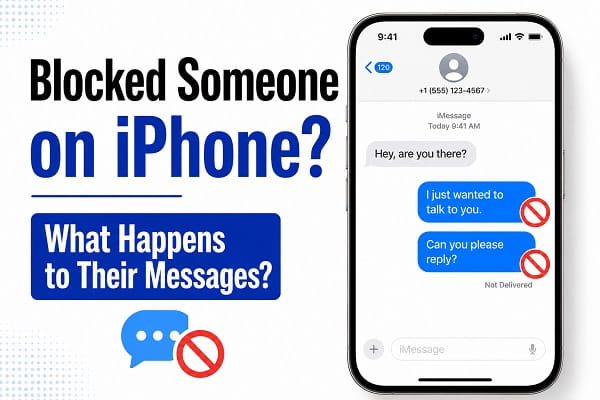
Blocking unwanted calls and messages is one of the easiest ways to stop spam, telemarketers, scammers, and persistent contacts from disturbing you. Apple makes it simple to block phone numbers on an iPhone, but many users later discover a problem: they want to know whether blocked messages can still be viewed.
Maybe you blocked someone during an argument and later changed your mind. Perhaps you’re expecting an important message and accidentally blocked the wrong number. In other cases, users simply want to know whether iPhone stores blocked text messages somewhere they can review later.
The answer is not as straightforward as many people expect.
Unlike email spam folders or social media message requests, iPhone does not provide a dedicated inbox where blocked SMS or iMessages are stored for later viewing. However, there are some important details every iPhone user should understand before assuming those messages are gone forever.
This guide explains how blocked messages work on iPhone, whether you can see messages from blocked contacts, and what options may still be available if you need to recover communication from someone you’ve blocked.
What Happens When You Block Someone on iPhone?
When you block a phone number on your iPhone, Apple prevents several forms of communication from reaching you.
Blocked contacts generally cannot:
- Send you iMessages that appear on your device
- Send SMS messages that reach your inbox
- Call your phone successfully
- Contact you through FaceTime
From your perspective, it may seem as if the person no longer exists.
The blocked individual usually does not receive a notification informing them that they have been blocked.
Can You See Blocked Messages on iPhone?
In most cases, no.
Once a number is blocked, messages sent afterward are typically not delivered to your Messages app.
Unlike some Android messaging apps and third-party services, iPhone does not maintain a visible folder containing blocked text messages.
This means there is usually no dedicated location where you can browse messages sent by blocked contacts.
That surprises many users who assume Apple stores blocked messages in a hidden inbox.
Are Blocked Messages Stored Anywhere on iPhone?
Apple does not provide a built-in section for viewing blocked SMS or iMessages.
If a message was sent after the contact was blocked:
- It normally does not appear in your inbox.
- It does not appear in Recently Deleted.
- It does not appear in a Blocked Messages folder.
For most users, those messages are simply inaccessible.
Can You Read Messages Sent Before Blocking a Number?
Yes.
Blocking a contact does not automatically delete previous conversations.
If messages existed before the block occurred, they generally remain inside the Messages app unless you manually delete them.
To check:
- Open the Messages app.
- Search for the contact’s name or number.
- Open the existing conversation.
Any messages exchanged before the block should still be visible.
This is often confused with blocked messages, but these are actually messages received before the blocking action took place.
If you’ve accidentally deleted an important conversation while checking old messages, there are several ways to recover deleted contacts on Android and other mobile devices before the information is permanently lost.
How to Check Your Blocked Contacts List
If you’re unsure whether someone is blocked, you can review your blocked contacts list.
On iPhone
- Open Settings.
- Scroll down and tap Apps.
- Open Phone.
- Tap Blocked Contacts.
You’ll see all phone numbers and contacts currently blocked on the device.
You can also access blocked contacts through:
- Messages settings
- FaceTime settings
Depending on your iOS version.
How to Unblock a Contact on iPhone
If you want to receive messages from someone again:
- Open Settings.
- Tap Phone.
- Select Blocked Contacts.
- Find the contact.
- Swipe left on the contact.
- Tap Unblock.
After unblocking, future messages can be delivered normally.
However, messages sent while the contact was blocked usually do not suddenly appear afterward.
Will Messages Sent During the Block Appear After Unblocking?
This is one of the most common questions.
Generally, no.
Messages sent while the contact was blocked are usually not delivered retroactively.
Even after unblocking the number:
- Previously blocked messages may remain unavailable.
- New messages sent after unblocking can arrive normally.
Think of blocking as closing a door rather than pausing delivery.
Messages that attempted to arrive during the blocked period are often lost from the recipient’s perspective.
Can iCloud Restore Blocked Messages?
Sometimes users hope that restoring an iCloud backup will reveal blocked messages.
Unfortunately, iCloud cannot normally recover messages that were never delivered to the device.
However, if messages existed before blocking and were later deleted, they may potentially be restored through backups depending on the circumstances.
Success depends on:
- Backup availability
- Backup date
- Message synchronization settings
- Whether the messages were previously stored on the device
What About Recently Deleted Messages?
Recent versions of iOS include a Recently Deleted folder for messages.
To check:
- Open Messages.
- Tap Edit or Filters.
- Select Recently Deleted.
This section may contain messages you deleted manually.
However, it generally does not contain messages that were blocked before delivery.
Can Third-Party Apps Show Blocked Messages?
Many websites claim that third-party apps can reveal blocked messages.
Users should approach such claims carefully.
No legitimate app can magically retrieve messages that were never delivered to your iPhone.
While some apps offer backup and recovery features, they cannot typically access messages blocked by Apple’s communication filtering system.
What If the Contact Used Another Number?
Blocking works on a per-number basis.
If the person sends messages using:
- A different phone number
- Another Apple ID
- Another messaging platform
those messages may still reach you unless they are also blocked.
This explains why some users continue receiving communication even after blocking someone.
Can You Recover Deleted Messages From a Blocked Contact?
Possibly.
Backups play a major role in data recovery. The same principle applies when trying to recover deleted photos on Android, where cloud backups often determine whether recovery is possible.
If the messages were received before the block and later deleted, recovery may be possible through:
- Recently Deleted
- iCloud backups
- Finder backups
- iTunes backups
The outcome depends on how the messages were originally stored and whether backups exist.
Common Misconceptions About Blocked Messages
Myth: iPhone Stores Blocked Messages in a Hidden Folder
This is one of the most widespread myths.
Apple does not provide a hidden inbox for blocked messages.
Myth: Unblocking Restores All Missed Messages
Unblocking allows future communication.
It does not usually restore messages sent while the number was blocked.
Myth: Blocked Contacts Know They Are Blocked
Apple does not send notifications informing users that they’ve been blocked.
Myth: Recovery Apps Can Always Retrieve Blocked Messages
Recovery tools have limitations and cannot generally recover messages that were never delivered.
Privacy Benefits of Blocking Contacts
Managing unwanted communication isn’t limited to text messages. Android users can also learn how to block spam calls on Android to reduce robocalls and unwanted contact attempts.
Apple’s blocking system is designed primarily for privacy and protection.
Benefits include:
- Reduced spam
- Fewer scam messages
- Less harassment
- Improved message management
- Better control over communications
Understanding these benefits helps explain why Apple doesn’t provide easy access to blocked communications afterward.
Frequently Asked Questions
Where Do Blocked Messages Go on iPhone?
Blocked messages generally do not appear in a special folder or inbox.
Can I See Messages From a Blocked Number?
Usually not if they were sent after the block was applied.
Will I Receive Old Messages After Unblocking Someone?
In most cases, messages sent during the blocked period are not delivered later.
Can iCloud Recover Blocked Messages?
Not normally if the messages were never delivered to the device.
Can I Tell If Someone Texted Me While They Were Blocked?
Generally, no. iPhone does not provide a notification history of blocked messages.
Does Blocking Delete Existing Conversations?
No. Existing conversations typically remain until manually deleted.
Can Blocked Contacts Leave Voicemails?
Depending on carrier and settings, some blocked callers may still leave voicemails in separate sections.
Can a Different Number Bypass the Block?
Yes. Blocking one number does not automatically block other numbers associated with the same person.
